
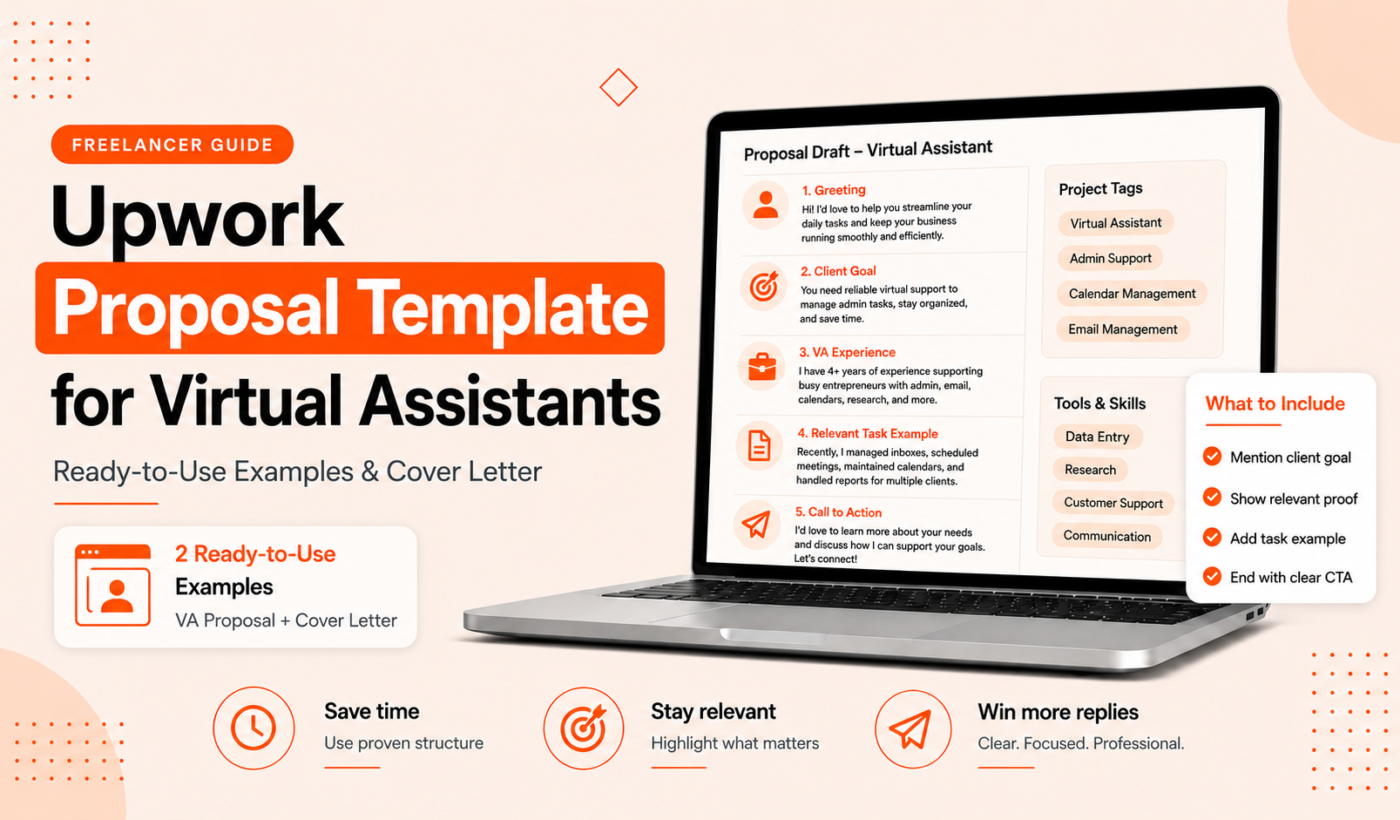
If you want a quick, client-focused pitch that gets replies, this guide gives a practical Upwork proposal template for virtual assistant roles you can copy, edit, and send in minutes. Use the templates below for admin, calendar/email triage, social media, bookkeeping, and executive support — and Generate a free personalized Upwork proposal to speed the process.
Why this Upwork proposal template works for virtual assistants
A strong VA proposal on Upwork does three things: it shows you understand the client’s need, it highlights the exact skills and availability that matter, and it gives a short proof point so the client can trust you quickly. Clients hiring VAs care most about skills, reliability, and clear communication.
What clients look for in virtual assistant proposals (skills, availability, communication)
- Relevant skills: tools (Gmail, Calendly, Asana, QuickBooks, Buffer), processes (inbox triage, calendar blocking, travel booking), and any niche (real estate, e-commerce, startup founders).
- Availability: time zone, hours per week, and response window (e.g., within 2 business hours).
- Communication: how you report progress (daily check-ins, Asana updates) and your preferred channels (email, Slack, Zoom).
How this template saves time and increases response rates
The templates below are short, customizable, and built for clarity. They force you to put the client’s need first, match one or two key skills, include a single short example or link, and end with a clear next step. That structure keeps proposals scannable and memorable.
How to use this template (quick guide)
Personalize the template for each job post. A little edit—matching the client’s words and adding one relevant example—beats a generic long letter.
Choose the right opener for the job post
- If the post lists specific tools, name them in your first sentence.
- If the client emphasizes speed or availability, put your hours or timezone right up front.
Match your skills to the client’s needs in one sentence
Use a tight sentence like: “I have 3 years managing executive calendars and inboxes with Gmail and Calendly — I can free up 8+ hours/week for you.” Avoid long lists.
Add a short relevant example or portfolio link
One line: a quick result, a client type, or a link to a sample. If you need guidance on where to add portfolio links, see How to Mention Your Portfolio in an Upwork Proposal.
Finish with a clear CTA and availability
Tell the client the next step: “If this fits, I can start with a 1-hour trial task tomorrow — available 10–3 ET.” Clear CTAs reduce back-and-forth and increase responses.
Upwork proposal template for virtual assistant (copy-and-paste)
General virtual assistant template (short)
Hi [Client name],
I can help with [main task from job post] using [tool(s)]. I have [X years] experience assisting [client type] and can commit [hours/week] in [time zone]. Example: [one-line result or project link]. If this sounds right, I can start with a 1-hour trial task this week. When are you available for a quick 10-minute call?
Best, [Your name]
Administrative VA template (calendar, email, travel)
Hi [Client name],
I specialize in calendar management, email triage, and travel booking for busy founders. I use Gmail, Calendly, and TripIt, and I’ll keep your calendar conflict-free and your inbox under 20 items. I recently reduced a client’s scheduling time by 40% (weekly 2-hour savings). I’m available 15 hours/week, Monday–Friday 9am–2pm ET. Ready to start with a 1-hour onboarding session?
Thanks, [Your name]
Specialized VA template (social media, bookkeeping, project management)
Hi [Client name],
I’m a social media VA who schedules posts, repurposes content, and tracks analytics (Buffer and Google Sheets). I can put a month of content on a calendar and send weekly performance notes. Example: increased post consistency for a small brand to 3x/week. I’m available 10–12 hours/week; happy to do a 2-post test run to start.
Regards, [Your name]
VA proposal examples with real edits
Below are three short, realistic proposals tailored to common VA listings and a brief note on why each works.
Example 1: part-time admin support (how it maps to the job post)
Job highlights: calendar + email triage, 10 hours/week, US time zone.
Proposal:
Hi Sarah — I handle calendar management and inbox triage for busy consultants. I use Gmail labels and Calendly to reduce scheduling time and keep inboxes under control. I’m available 10 hours/week (EST) and can start with a 1-hour triage to organize your inbox this week. Does Wednesday 11am EST work?
Why it works: Matches tools, states hours and timezone, offers a short trial task and a specific time.
Example 2: social media virtual assistant (highlighting relevant tools)
Job highlights: schedule posts, repurpose content, report weekly.
Proposal:
Hi — I schedule content in Buffer, repurpose blog posts into captions, and send a one-page weekly report on engagement. I can plan and schedule 12 posts/month and deliver reports every Friday. Example: I managed a small brand’s content calendar for 6 months and kept consistent posting while increasing engagement. Ready to try a 1-week content plan?
Why it works: Names tools, explains deliverables, suggests a low-risk trial.
Example 3: executive assistant (availability and communication plan)
Job highlights: high-level support, urgent tasks, daily check-ins.
Proposal:
Hello — I provide executive assistance with inbox prioritization, meeting prep, and travel booking. I’m available for urgent 1-hour tasks and provide a daily 10-minute Slack check-in. I work 20 hours/week and can start immediately. Would you like a short trial to review my meeting prep notes?
Why it works: Sets communication habit, availability for urgent work, proposes a concrete trial deliverable.
Run any adapted example through a quick grammar check before sending; you can Check grammar for free.
How to write a virtual assistant cover letter for Upwork
Use a cover letter when the job is higher-value, long-term, or requires detailed process knowledge. Keep it focused and about 200–300 words: state your fit, expand one relevant example, and close with availability.
Cover letter template (3 paragraphs)
Paragraph 1 — Hook and fit: One sentence that mirrors the client’s need and states your core match.
Paragraph 2 — Evidence: One short example or a 2–3 bullet summary of how you’d approach the job and a past result.
Paragraph 3 — CTA and availability: One sentence offering a trial task or a quick call and your hours/time zone.
When to submit a full cover letter instead of a short pitch
- Long-term projects, executive roles, or posts asking specific process or strategy answers.
- If the client requests a detailed proposal or asks multiple qualifying questions.
Checklist: What to include before you hit Send
Profile and portfolio quick checks
- Profile photo and title match the role.
- Relevant portfolio sample or one-line case study included — see How to Mention Your Portfolio in an Upwork Proposal for placement tips.
Spelling, tone, and personalization
- Use the client’s name and one phrase from the job post.
- Run your text through the Humanize AI text for free tool if you used an AI draft, and then Check grammar for free.
Attachments, rates, and estimated timelines
- Attach only what the job post asks for. If unsure, link to a sample instead.
- Be clear about your rate or say you’ll discuss after a short task if the client prefers.
- Give a realistic estimate for first deliverables and next steps.
Polish one or two key paragraphs with the Rewrite a paragraph for free tool and quickly reword sentences using Paraphrase text for free when needed.
How to adapt proposals for beginners and lower-rated VAs
Use small, risk-free offers
- Propose a paid trial task or a fixed small deliverable to get the first review.
Showcase relevant samples even if not on Upwork
- Upload or link to sample documents, calendar screenshots, or anonymized email templates.
Price framing and early-review strategies
- Offer an introductory rate for the first 2–3 weeks, then adjust after you’ve earned reviews.
- For more beginner templates and strategies, see Upwork proposal example for beginners: 8 no-review templates.
Improve and polish your proposal with free Typing Engine tools
- Upwork Proposal Generator — Draft faster and customize templates for each job post.
- Humanize AI text for free — Remove robotic phrasing from AI drafts.
- Paraphrase text for free — Reword sentences to keep proposals concise and varied.
- Summarize text for free — Use this to pull the client’s top priorities from long job descriptions.
Final tips and quick comparisons
When a 50–100 word pitch wins
Use a short pitch for low-effort listings or quick tasks. Be direct, name the tool and hours, and offer a short trial.
When a 200–300 word cover letter is better
Use a longer cover letter for executive roles, ongoing retainers, or when the client requests details about process and experience.
Follow-up message timing and template
If you don’t hear back, send one polite follow-up after 3–5 days: “Hi [Name], checking in on my proposal — I’m available to start a small test task this week if helpful.” Short, helpful, and actionable.
FAQ
How long should an Upwork proposal for a virtual assistant be?
Short proposals (50–100 words) work for straightforward tasks. Use a 150–300 word cover letter for higher-value or long-term roles. Always prioritize clarity over length.
Should I include my hourly rate in the initial Upwork proposal?
If the job post asks for a rate, include it. If not, you can offer a short trial task price or state that rate is negotiable and will be discussed after a quick call or test task.
How do I attach or link to a portfolio when applying for VA jobs on Upwork?
Attach samples only if requested. Otherwise include one short link or mention that samples are available and link to a specific file or page. For placement tips, read How to Mention Your Portfolio in an Upwork Proposal.
Can I use the same proposal template for different VA job types?
Yes — but always edit the opener and the single example to match the job. Tailoring one sentence to the client’s main need makes a big difference.
What should I do if the job post asks for a specific test or sample?
Follow the instructions exactly. If the test is unpaid, consider proposing a small paid trial instead or clarify the time required before accepting unpaid work.
Ready to save time? Generate a free personalized Upwork proposal that matches the templates above and adapt it in seconds.