
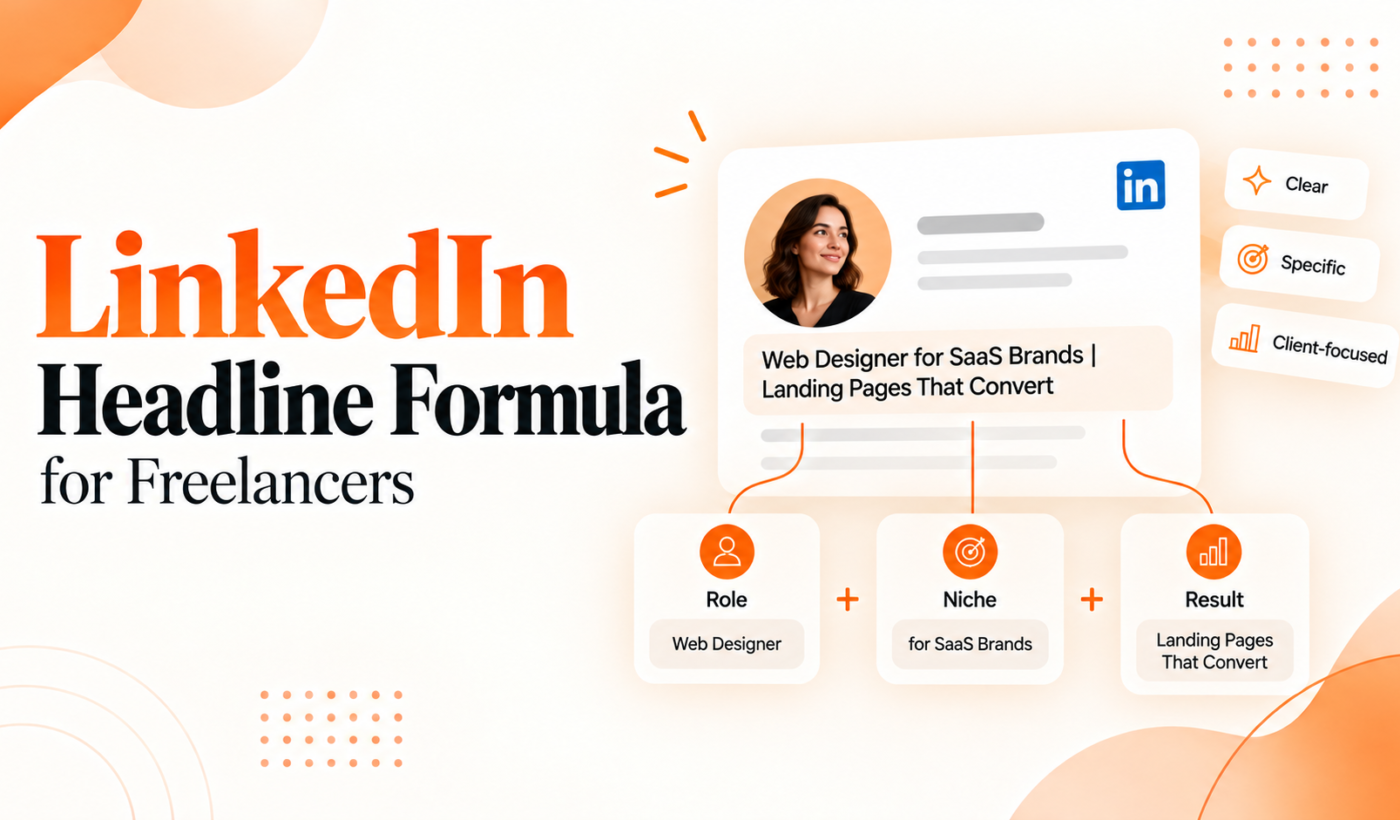
Your LinkedIn headline is the single most visible piece of your profile for client discovery. This article shows a practical, repeatable LinkedIn headline formula freelancers can use to create clear, client-focused headlines that earn clicks and messages. Read the three-part formula, copy templates, and use the checklist to publish today.
Why your LinkedIn headline matters for getting clients
How clients and hiring managers use the headline to decide whether to click
Clients scanning profiles rarely read full summaries. They judge fit by your headline first: it tells them what you do and whether you might solve their problem. A clear headline reduces their effort and raises the chance they’ll open your profile or send a message.
Headline visibility: search, profile previews and shared posts
Your headline appears in search results, connection and message lists, and every time you post. That short line is used for filtering and for first impressions — so it should communicate role, benefit, and credibility quickly.
Common mistakes: vague titles, buzzwords and overly long value statements
Typical errors include vague titles like “Creative Professional,” stuffing buzzwords such as “innovative” without specifics, or writing a long paragraph that gets cut off. Those make it harder for clients to spot your skills and outcomes.
LinkedIn headline formula freelancers: The 3-part LinkedIn headline formula (step-by-step)
Use three clear parts: role + specialization, outcome or client result, and a proof or differentiator. Each part is short; together they create a complete, client-focused statement.
Part 1 — Role + specialization: state what you do clearly
Start with your role and a narrow specialty. Replace broad labels with what clients search for. Examples: “Copywriter — B2B SaaS” or “Product Designer for mobile apps.” Keep it concise and keyword-friendly.
Part 2 — Outcome or client result: the benefit you deliver
Follow with the result you achieve: the measurable or visible benefit clients care about. Use outcomes like “increases trial signups,” “reduces churn,” or “speeds time-to-market.” If you can’t measure it, state a meaningful result such as “higher conversion rates” or “clear user flows.”
Part 3 — Proof element or differentiator: niche, credential or quick proof
Add a short credibility marker that sets you apart: a niche you serve, an industry, a certification, or a succinct proof point like “12+ years” or “ex-Amazon.” Keep this compact so it doesn’t crowd your headline.
Putting the three parts together: order, punctuation and readability
Combine parts with clean punctuation: pipes (|), bullets (•), or commas work. Prioritize readability over fancy separators. Example order that works: Role — Outcome | Proof. The priority is clarity: the first few words should say what you are.
Quick writing rules and variations for different goals
Tone and keyword placement: match what clients search for
Use the exact role and specialization clients type into search. Place the role first so it’s visible in search results. Keep tone professional but human — avoid overused adjectives without substance.
Short vs. long headlines: when to prioritize clarity over detail
If your audience skims fast (agency buyers, recruiters), prioritize a short headline: role + outcome. If you sell complex services and need context, add a concise proof element. Brevity is usually better.
Availability and call-to-action: when to use ‘Open to work’ or ‘Available for projects’
Use availability phrases only when actively booking. Put them at the end: “Available for projects” or “Open to remote contracts”. They can help, but avoid replacing your core positioning with availability alone.
Headline examples and templates you can copy
Examples for writers, designers, developers and marketing freelancers
- Copywriter — B2B SaaS websites that increase demo signups | 8+ yrs
- Product Designer (mobile apps) — faster onboarding & reduced churn | ex-Stripe
- React Developer — build scalable UIs for fintech startups | Senior contractor
- Content Marketer — SEO content that drives organic leads | 30% avg traffic lift
- Brand Designer — visual systems for seed-stage startups | portfolio available
Templates to swap in your specialization and result
- [Role] — [Specialization] that [Client result] | [Proof]
- [Role] for [Industry] — [Outcome] | [Years/Cert/Client type]
- [Role] — helping [client type] get [measurable result] | [Differentiator]
How to adapt a headline for Upwork versus LinkedIn search
Upwork and other freelance marketplaces favor clear, searchable role keywords and short value lines. LinkedIn allows slightly more personality and proof. On Upwork, lead with exact role keyword and add a quick outcome. For LinkedIn, you can include a short proof line that builds trust.
For rapid headline variations, try the LinkedIn Bio & Headline Generator to generate options from your template, then humanize them before publishing.
How to test, measure and iterate your headline
Quick tests: profile views, message rate and job invites
Track changes week-to-week. Key signals: profile views, inbound messages, and job invites. If views rise but messages don’t, tweak the outcome or proof elements to be more client-specific.
A/B testing ideas using posts and profile updates
You can A/B test headlines indirectly: publish a post using the same tagline and link to your profile, or swap headlines for a two-week period and compare metrics. Use the Paraphrasing Tool to generate multiple variations quickly.
When to refresh: signals that your headline needs work
Refresh when profile views drop, your services change, or clients start asking the same clarifying questions. Also update after a major win or new credential that improves credibility.
Refine the rest of your profile to support the headline
Write a supporting first line for your About that expands the headline
The first sentence of your About should expand the headline in one specific line: who you work with and the primary result. Keep it direct so visitors can scan and confirm fit immediately.
Use concise proof points in experience and featured work
Add short proof bullets in Experience and Featured sections: metrics, client names (with permission), or short case outcomes. These back up the claim in your headline.
Tools to humanize, paraphrase and check grammar before publishing
Before you publish, humanize any AI drafts with the AI Text Humanizer, create alternate versions with the Paraphrasing Tool, and run a final check with the Grammar Checker. Use the Summarizer Tool to condense longer About drafts into tight supporting lines that echo your headline. Also see our AI humanizer checklist: pre-publish checklist for freelancers and creators for quick steps to make AI-assisted copy feel authentic.
Final checklist: publish-ready headline
- Clarity: Role and specialization appear in the first few words.
- Benefit: A clear client-focused outcome is included.
- Proof: Short differentiator, years, niche, or credential added.
- Keywords: Role and specialization match client search terms.
- Readability: No long sentences or unclear phrases.
- Brevity: Avoid unnecessary adjectives and filler words.
- Consistency: Headline language aligns with your proposals and About section.
- Grammar: Run a final check with the Grammar Checker.
- Variations: Create 3 headline variants with the Paraphrasing Tool.
- Test: Monitor profile views and inbound messages for two weeks.
If you’re not getting visits, try a shorter headline with only role + outcome, update your About first line, and share a post that uses the same opening line — see our LinkedIn post hook examples and templates for freelancers to match your profile messaging when promoting your work.
FAQ
What is the ideal length for a LinkedIn headline and does it affect client discovery?
LinkedIn allows a long headline, but clarity matters more than length. Aim to communicate role and core benefit in the first 80 characters so clients scanning results can immediately tell what you do.
Should I include keywords in my LinkedIn headline or keep it conversational?
Include both. Use client-search keywords for role and specialization, but write them in a natural way that also communicates outcome. That balance improves discoverability and click-through.
How can I show proof or credibility in a short headline without sounding boastful?
Use concise proof: years of experience, niche clients, a short metric, or a recognized employer. Keep it factual and modest: “8+ years,” “ex-Stripe,” or “trusted by seed startups.”
Do headlines need to be different for LinkedIn vs Upwork profiles?
Yes. On Upwork prioritize exact role keywords and short outcomes. On LinkedIn you can add slightly more proof or personality because profile views come from diverse sources. Make sure both use consistent positioning language.
How often should I update my headline if I’m actively looking for clients?
Update when you change services, after a meaningful win, or if metrics show declining views. If actively seeking projects, test a new headline every 2–6 weeks and track changes in profile views and messages.
Try these tools next: generate headline options fast with the LinkedIn Bio & Headline Generator, then align your profile language with proposals using the Upwork Proposal Generator. These tools save time and help you test headline variations without rewriting your whole profile.
Ready to update your headline? Use the templates above to write three versions, run them through the Paraphrasing Tool to create variations, humanize the best one, check grammar, and publish. Then watch your profile views for two weeks and iterate.