
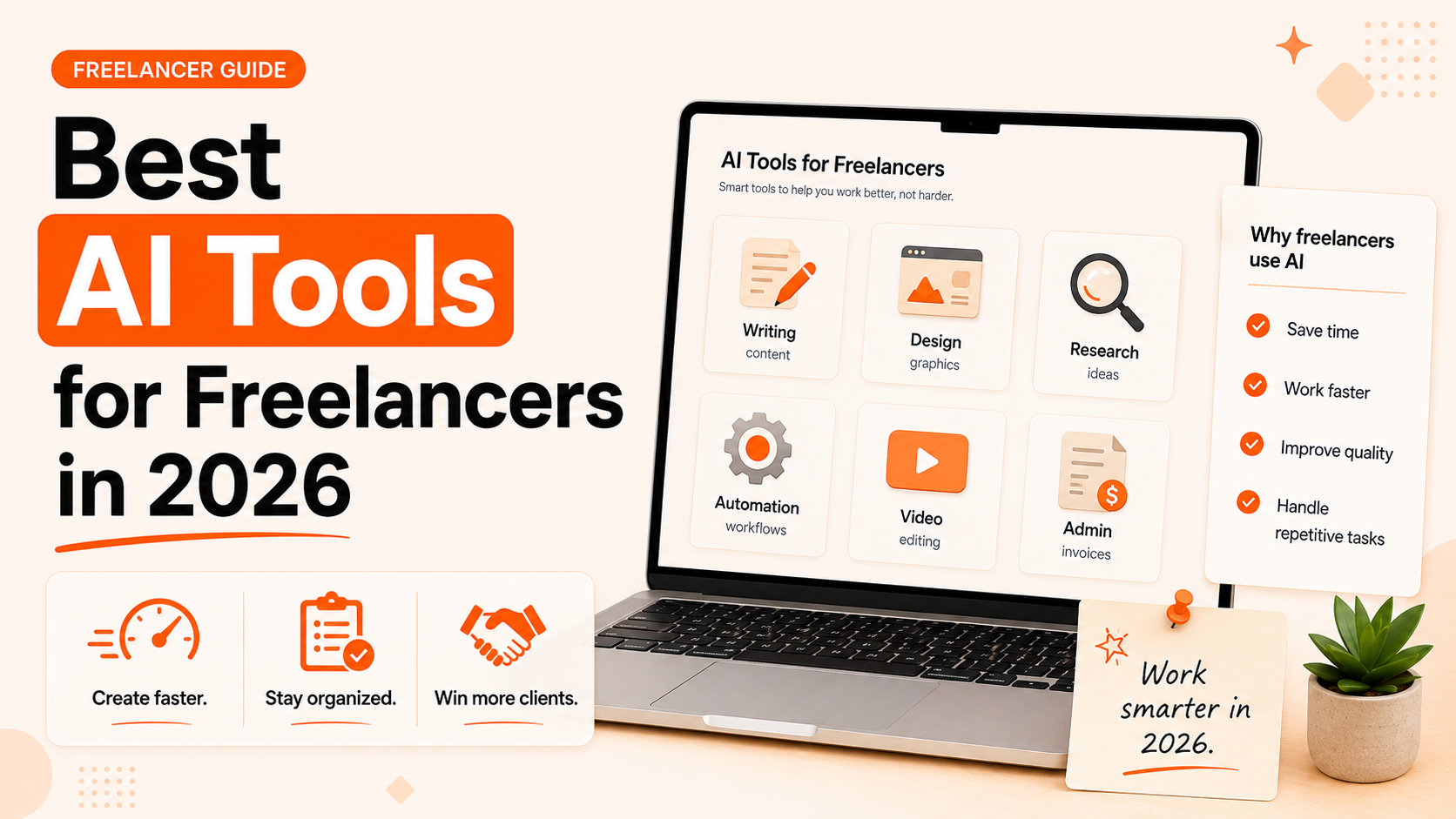
AI adoption among freelancers hit 77% in 2026. That number matters not because it is impressive, but because of what it implies: if you are one of the 23% who are not using AI in your workflow, you are now the outlier — and the gap between what you can produce in a day versus what an AI-assisted freelancer can produce in the same time is growing.
That said, the noise around AI tools has become deafening. A new “best AI tool” article appears every week, most of them listing twenty tools you will never use. The freelancers actually benefiting from AI are not using the most tools — they are using two or three tools consistently, applied to the specific tasks that eat the most time in their workflow.
This guide cuts through the hype. It covers the best AI tools for freelancers in 2026, organized by what they actually do, with honest guidance on who each tool serves best, what it costs, and how to use it without producing work that sounds like it came from a robot.
What Freelancers Are Actually Using AI For
Before naming specific tools, it helps to understand where AI delivers genuine value in a freelance workflow — and where it does not.
AI consistently saves freelancers the most time on: first-draft generation (starting documents, proposals, outlines), research and information synthesis, client communication drafting (emails, follow-ups, briefs), repetitive writing tasks (product descriptions, social captions, templated content), and code generation and debugging.
Where AI requires heavy human oversight: anything requiring specific subject matter expertise, work that must reflect a distinctive personal or brand voice, content dependent on accurate real-world data, and strategic recommendations that require context and judgment the AI does not have.
The frame that works best: AI is a capable first-draft machine and a fast research assistant. You bring the expertise, the judgment, the voice, and the quality control. Freelancers who try to hand the entire workflow to AI produce mediocre work. Those who use it to eliminate the time-consuming, repetitive parts of their process and focus their own effort on the high-value parts produce better work, faster.
Freelancers using AI well report 20 to 40% productivity gains on knowledge-work tasks — not because the AI does everything, but because it eliminates the friction of starting and handles the scaffolding so the freelancer can focus on substance.
The Best General-Purpose AI Assistants
LSI keyword placement: ChatGPT for freelancers, Claude AI for freelancers
Every freelancer should have one reliable general-purpose AI assistant as the foundation of their stack. Here is an honest assessment of the main options.
ChatGPT Plus — Best All-Rounder
Price: $20/month (Plus tier) | Free tier available with limits
ChatGPT remains the most widely used AI assistant for freelancers across every category because it handles the widest range of tasks without requiring expertise to prompt effectively. Writers use it for outlines, first drafts, headline variations, and research summaries. Developers use it for code generation and debugging. Marketers use it for copy ideation, email drafts, and campaign concepts. It handles all of these competently.
The Plus tier ($20/month) unlocks GPT-4o, significantly longer context windows, and access to newer features including image generation and browsing. For most freelancers, the upgrade pays for itself in the first few hours of use per month.
Where ChatGPT falls short: its outputs can drift toward the generic without careful prompting, and it occasionally produces confident-sounding errors on technical topics. Use it as a starting point, not a final draft.
Best for: Most freelancers who want one tool that handles writing, research, ideation, and communication tasks across a variety of client types.
Claude Pro — Best for Long Documents and Nuanced Writing
Price: $20/month | Free tier available
Claude Pro consistently outperforms ChatGPT on tasks that require nuanced reasoning, careful editing, and working with long documents. Where ChatGPT tends toward confident directness, Claude often produces more measured, carefully constructed responses — which makes it better suited for sensitive client communication, detailed analysis, and work where precision matters more than speed.
The longer context window in Claude Pro (up to 200,000 tokens in some modes) is a significant practical advantage for freelancers working with large documents, long transcripts, or complex multi-part projects. You can paste an entire client brief, a competitor analysis, a long rough draft — and Claude will work with all of it coherently.
Best for: Freelance writers, consultants, and analysts who work with long documents, need careful editing assistance, or want an AI that matches a more thoughtful writing style.
Perplexity Pro — Best for Research
Price: $20/month | Free tier available
Perplexity is the AI research tool that most freelancers are still underusing. Unlike ChatGPT and Claude, which draw on training data with a knowledge cutoff, Perplexity performs live web searches and cites its sources in the response. This makes it dramatically more reliable for research tasks that require current information: market trends, industry statistics, recent news, competitive intelligence, and fact-checking.
For freelancers who bill for expertise and research depth, Perplexity changes the equation. What used to require 30 to 45 minutes of tab-hopping and manual synthesis now takes 5 to 10 minutes with Perplexity doing the search and citation work.
Best for: Any freelancer whose work requires current, accurate information — writers, strategists, consultants, marketers. Especially valuable for industries with fast-moving news cycles.
The Best AI Tools for Writing and Content
Long-tail keyword placement: which AI tool is best for freelance writing
Grammarly — Best for Writing Quality and Polish
Price: Free (basic) | $12/month billed annually (Pro)
Grammarly has evolved well beyond its original grammar-checking roots. The Pro tier now includes AI-powered rewrite suggestions, tone adjustments, clarity improvements, and plagiarism detection. For freelance writers who need a reliable editor that catches what they miss after staring at the same text for too long, Grammarly fills a specific gap that general-purpose AI assistants do not.
The most valuable feature for freelancers: Grammarly Pro can analyze the tone of your writing and flag when something reads as too formal, too passive, too blunt, or off-brand for a specific client’s voice. This is especially useful when producing content under someone else’s brand guidelines.
Best for: Writers, copywriters, and content strategists who need consistent quality polish and an AI that flags voice and tone issues, not just grammar.
Jasper — Best for High-Volume Marketing Copy
Price: From $39/month
Jasper is purpose-built for marketing content at scale. Where ChatGPT and Claude are general-purpose tools adapted for content work, Jasper was designed specifically for marketing teams and freelancers producing large volumes of ads, emails, landing pages, blog posts, and social content. It includes templates for dozens of common marketing formats and a Brand Voice feature that helps it match a client’s established tone.
For freelancers who specialize in content marketing, email campaigns, or advertising copy and have multiple clients to serve at once, Jasper’s template system meaningfully reduces the time from brief to first draft.
Best for: Content marketing freelancers producing high volume across multiple clients, particularly for ad copy, email campaigns, and SEO blog posts.
The Best AI Tools for Design
LSI keyword placement: Canva AI
Canva Magic Studio — Best for Non-Designer Freelancers
Price: Free (basic) | Canva Pro from $15/month
Canva’s AI suite — collectively called Magic Studio — has made it possible for non-designers to produce professional-quality visual content without any design background. The Magic Design feature generates complete, branded layouts from a text description. The Magic Eraser removes unwanted elements from photos. Text-to-image generation produces custom illustrations and graphics from plain-language prompts.
For freelancers who manage social media, write content, run marketing campaigns, or handle any role that regularly requires visual assets, Canva Pro is one of the highest-ROI tools in a freelance stack. The alternative — hiring a designer for every graphic or learning design tools from scratch — is far more expensive in time and money.
Best for: Social media managers, content writers, virtual assistants, and marketers who need to produce polished visual content regularly without a dedicated design background.
Midjourney — Best for High-Quality AI Image Generation
Price: From $10/month
Midjourney produces the highest-quality artistic images of any AI image generator currently available. For freelancers who need striking original visuals — illustrations, concept art, brand imagery, campaign visuals — Midjourney generates options that look genuinely professional and are commercially licensable.
The learning curve is steeper than Canva: Midjourney operates through Discord and requires developing skill with text prompts to get consistent results. For designers, brand consultants, and content creators who work with visual identity regularly, the investment in learning the tool is returned quickly.
Best for: Designers, brand consultants, and content creators who need original, high-quality visual concepts on demand.
The Best AI Tools for Developers
GitHub Copilot — Best for Code Generation
Price: $10/month for individuals | Free for students and open-source contributors
GitHub Copilot functions as an AI pair programmer, suggesting code completions, entire functions, and test cases in real time as you write. Freelance developers report that Copilot reduces time spent on boilerplate code by 20 to 30%, freeing up focus for the higher-complexity architectural and logic decisions.
The tool is most useful for well-understood tasks — generating standard functions, writing tests, translating pseudocode into working implementations, debugging syntax errors — and less reliable for novel architectural problems or highly domain-specific logic.
Best for: Freelance developers across all languages and frameworks. The time saving is most pronounced on Python, JavaScript, TypeScript, and Go.
The Best AI Tools for Productivity and Project Management
LSI keyword placement: Notion AI, AI tools productivity gains
Notion AI — Best for Organization and Client Documentation
Price: Free (Notion workspace) | Notion AI add-on from $10/month
Notion AI integrates generative AI directly into one of the most flexible workspace tools available. For freelancers who use Notion as their central hub — tracking client projects, storing research, managing content calendars, writing briefs — the AI add-on makes that hub significantly more productive.
Practical uses: summarize meeting notes into action items, generate first drafts of client-facing documents directly in the workspace, extract key points from long research documents, draft project proposals from structured notes, and auto-fill templates with client-specific information.
The advantage over using a standalone AI assistant is workflow integration — you stay inside the same tool you are already using rather than copying and pasting between applications.
Best for: Freelancers who already use Notion as their primary workspace, and anyone who wants to combine project management with AI-assisted documentation.
Otter.ai — Best for Meeting Transcription and Summaries
Price: Free (limited) | Pro from $17/month
Client calls generate a significant amount of information that freelancers need to act on: project requirements, feedback, revision requests, timeline agreements, expectations. Taking notes during a call while also trying to listen and respond thoughtfully is a challenge that Otter.ai solves.
Otter integrates with Zoom, Google Meet, and Microsoft Teams to automatically transcribe calls in real time and generate AI summaries highlighting the key decisions and action items. For freelancers who have multiple client calls per week, the time saving on post-call documentation alone justifies the cost.
Best for: Freelancers who have regular client calls and currently spend significant time on post-call note-taking and follow-up documentation.
The Best AI Tools for Proposals and Client Communication
LSI keyword placement: AI proposal writing
Upwork’s Uma — Best for Upwork-Specific Proposals
Price: Built into Upwork (free to use)
Uma is Upwork’s native AI assistant, fine-tuned specifically on Upwork platform data including job descriptions, winning proposals, client preferences, and freelancer profiles. When you are writing a proposal on Upwork, Uma can compare your experience to the job requirements, generate tailored proposal text, and highlight the most relevant aspects of your background to lead with.
For Upwork freelancers, Uma is the most platform-aware proposal tool available — and it is free. Use it as a starting point and customize the output to reflect your specific voice and experience. For full proposal control and off-platform pitches, the Upwork Proposal Generator provides a fast alternative.
Best for: Active Upwork freelancers who want AI assistance with proposal writing natively in the platform.
How to Build Your Freelancer AI Stack
Long-tail keyword placement: how freelancers use AI to work faster
The mistake most freelancers make with AI tools is accumulating too many of them. Having ten tools you barely use does not help. Having two tools you use well every day does.
Here is a simple framework for building your personal AI stack:
Start with one general-purpose assistant and use it daily for 30 days on real work before adding anything else. ChatGPT Plus or Claude Pro depending on your work style — ChatGPT for breadth and versatility, Claude for nuance and long documents.
Add one category-specific tool that addresses the highest-friction point in your specific workflow. For writers, that is usually Grammarly Pro. For designers, Canva Pro. For developers, GitHub Copilot. For researchers, Perplexity Pro.
Add one productivity tool only if you have an active organizational workflow that AI can meaningfully improve. Notion AI if you already use Notion. Otter.ai if client calls are a significant part of your week.
Three tools used consistently is the sweet spot for most freelancers. The compounding effect of genuinely integrating two or three tools into your daily work outperforms having a subscription to twelve tools you open once a month.
Total monthly cost for a well-chosen three-tool stack: $30 to $55. The productivity gain required to justify that cost — saving two to three hours per month on billable work — is trivially easy to achieve.
What AI Still Cannot Do for Freelancers
Long-tail keyword placement: how to use AI as a freelancer without losing your voice
AI has real limits that matter for freelancers, and being clear-eyed about them is what separates productive AI use from disappointed AI use.
AI cannot replicate your specific expertise. It can synthesize general information, but it does not know your proprietary frameworks, your industry relationships, your hard-won client insights, or the judgment that comes from years of domain-specific experience. That expertise is what you sell. AI helps you communicate and document it faster.
AI cannot guarantee accuracy on technical or rapidly changing topics. Perplexity with live search is better than static training data, but even current AI tools hallucinate confidently. Fact-check anything that matters.
AI outputs tend toward the generic without strong prompting and editorial control. The most common complaint from clients about AI-assisted freelance work is that it sounds like everyone else. Your voice, your perspective, your specific framing of a problem — that is what differentiates premium freelancers from commodity ones. Use AI for the scaffolding. Bring yourself to the substance.
Being transparent about AI use is increasingly important. Most clients care more about the quality and accuracy of the final deliverable than about whether AI assisted in producing it. But some clients have specific policies. When in doubt, ask — and document how you use AI in your process the same way you would document any other tool in your workflow.
Related Resources from Typing Engine
Free AI Tools Built for Freelancers
- Upwork Proposal Generator — Write personalized Upwork proposals in seconds
- LinkedIn Post Generator — Create LinkedIn content that builds authority and attracts clients
- LinkedIn Bio & Headline Generator — Optimize your LinkedIn presence with AI
- Twitter / X Bio Generator — Craft a professional bio for social platforms
- Instagram Caption Generator — Generate captions for clients or your own brand
- Privacy Policy Generator — Protect your freelance website instantly
More Helpful Articles
- How to Find High-Paying Freelance Clients on LinkedIn
- Freelance Social Media Manager: How to Get Started
- Best Upwork Niches That Pay the Most in 2026
- How to Set Your Freelance Rate on Upwork
- Upwork vs. Fiverr vs. Freelancer: Which Platform Is Best?
- How to Write an Upwork Profile Summary That Attracts Clients
- How to Get Upwork Top Rated Status (Step-by-Step)
- How to Build a Freelance Portfolio With No Experience