
Introduction
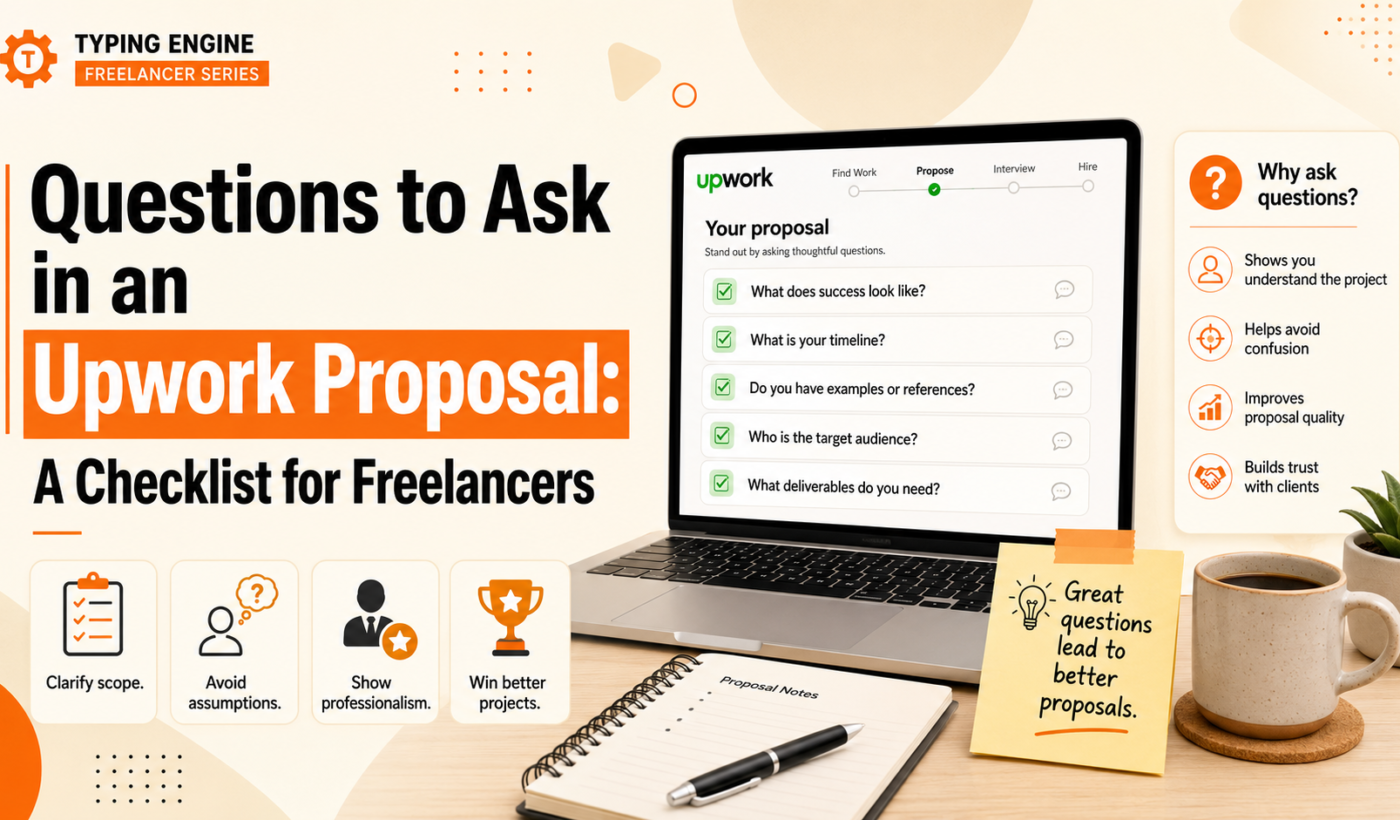
Including the right questions to ask in an Upwork proposal improves clarity, filters better clients, and increases the chance the client will reply. This checklist gives prioritized discovery questions, short example phrasing, and micro-templates you can drop into proposals. Use these to shorten back-and-forth, define scope early, and steer proposals toward a conversation.
Why asking questions inside your Upwork proposal matters
Prevent scope creep and unclear deliverables
Asking about deliverables and formats up front forces clarity. Instead of guessing what the client expects, a short question can reveal required file types, counts, or any hidden tasks—so you can price accurately.
Show you’ve thought about the job (credibility signal)
A focused question demonstrates domain knowledge and attention to detail. Clients notice freelancers who ask concrete questions versus those who send generic pitch copy.
Quickly qualify client fit and budget
The right questions help you decide whether to pursue a lead. Asking about timeline or budget early prevents wasted time on projects that don’t match your availability or rate.
Turn proposals into conversations — not one-way messages
Including a question invites a reply and frames your proposal as the start of a collaboration. That conversational approach increases the chance of a meaningful response.
When to include questions (and when to hold them for the interview)
Short listings vs complex projects: what to ask right away
For short, well-defined tasks (e.g., a one-page design or a content edit), include 1–2 targeted questions that confirm specifics. For complex projects, limit initial questions to essentials and save deeper discovery for a call.
First contact questions (keep them 1–2) vs discovery call questions
On first contact, pick one priority question that affects your price or availability (goal, timeline, or deliverables). Reserve technical, process, or stakeholder questions for the discovery call.
Questions that can annoy clients if asked too early
Avoid heavy negotiation or legal questions in the first lines. Asking about contract terms, payment method, or demanding changes to the job posting can feel pushy. Tactfully raise those topics after the client shows interest.
How to prioritize questions for hourly vs fixed-price jobs
For hourly roles, focus on collaboration, tools, and weekly hours. For fixed-price work, prioritize deliverables, milestones, and acceptance criteria so you can give a reliable estimate.
Generate proposals faster with the Upwork Proposal Generator to adapt question choices to job complexity and produce a concise first message.
Essential discovery questions to include — prioritized checklist
Below is a compact, prioritized list organized by topic with short example phrasing and why each matters. Use the top items for every proposal; add others as needed.
- Project goals: “What is the primary goal you want this project to achieve?” — why it matters: Clarifies the outcome so your work aligns with the client’s priorities.
- Deliverables & scope: “What specific deliverables do you expect (files, formats, counts)?” — why it matters: Prevents scope mismatch and lets you estimate time and cost.
- Timeline & milestones: “When do you need the first draft and final delivery?” — why it matters: Reveals urgency and whether the deadline fits your schedule.
- Success criteria & metrics: “How will you measure success for this project?” — why it matters: Defines acceptance criteria and helps you propose the right approach.
- Budget & flexibility: “Is there a budget range or flexibility on scope?” — how to phrase it tactfully: Offer a range or ask if scope can shift to match budget rather than demanding a dollar amount.
- Stakeholders & decision-making: “Who will be the main point of contact and decision-maker?” — why it matters: Avoids delays and unclear feedback loops.
- Access & assets: “Will you provide existing brand assets, accounts, or documentation?” — why it matters: Knowing what you’ll receive speeds onboarding and prevents rework.
- Technical & tools: “Which tools or platforms do you want me to use (Figma, GitHub, WordPress)?” — why it matters: Confirms compatibility and any learning curve.
- Examples & references: “Can you share examples of work you like or past projects?” — why it matters: Aligns creative direction and reduces revision cycles.
- Legal, IP & rights: “Are there any licensing or IP requirements I should know about?” — when to include this: Add for work involving design, images, code, or content reuse.
- Next step question (close): “If this sounds right, would you like a 30-minute call to align on scope and timing?” — using it to advance the conversation: A clear close turns a proposal into a meeting request.
You can copy these items into the Upwork Proposal Generator — add prioritization from the checklist to create a tailored first message.
How to phrase questions concisely in a proposal (examples and micro-templates)
Use short, direct phrasing and keep the total proposal to a few sentences when possible. Below are copyable snippets for common scenarios.
Two-line opener + one discovery question (best for high-volume applications)
Example:
Hi [Name], I’m a [specialty] with experience in [relevant detail]. I can deliver [brief value]. Quick question: what’s the top outcome you expect from this project?
Short and focused—this invites a reply without demanding details.
Short fixed-price proposal with 2 targeted questions (scope + timeline)
Example:
Hi [Name], I can complete [task] for a fixed price. To confirm scope, could you share the desired deliverables and your target final delivery date?
This helps you give a reliable fixed-price estimate.
Hourly role proposal with question about collaboration/tools
Example:
Hi [Name], I’m available for ongoing hourly work and use [toolset]. How do you prefer to manage tasks and feedback (Trello, Slack, email)?
Asking about tools signals you’re ready to integrate with their workflow.
Follow-up proposal template that adds a clarifying question after client views your profile
Example:
Thanks for reviewing my profile. Before we schedule a call, can you confirm who will approve deliverables and whether there are branding guidelines I should follow?
You can generate these snippets automatically; see Upwork Proposal Generator (example templates) and the guide How To Generate Winning Upwork Proposals in Minutes (Not Hours) for workflows that speed this process.
Pair your discovery questions with an effective close—read How to End an Upwork Proposal Without Sounding Pushy for sample endings that move the conversation forward.
Common mistakes when asking questions (and how to avoid them)
- Asking too many questions: Keep it to 1–3 in the first message. Save the rest for a call.
- Using vague or leading questions: Be specific. Replace “Tell me about the project” with “Which pages need redesigning and do you have existing analytics?”
- Asking about payment too bluntly: Phrase budget questions as ranges or ask whether the client has budget flexibility.
- Copy-pasting generic questions: Customize each question to the job description to show attention and fit.
- Poor formatting: Use short bullets or one-line questions; avoid long paragraphs that hide the key ask.
Quick printable checklist: 12 prioritized questions to include
Use this one-page checklist when you write proposals. Copy the items into the proposal generator to make fast, consistent messages.
- Top 3 to always include: Goal, Deliverables, Timeline
- Next 6 high-value questions: Budget, Success metrics, Stakeholders, Assets, Tools, Examples
- Legal/IP question if relevant
- Closing question to move the conversation forward (call or next step)
Use the Upwork Proposal Generator to add discovery questions and convert this checklist into a ready-to-send proposal.
Putting it together: next steps and resources
Start by choosing the top 1–3 checklist items that affect price or timeline, add them to your proposal, and finish with a clear next step. If you need help turning questions into a tight first message, Generate a free personalized Upwork proposal that includes your chosen discovery questions.
If you’re not getting responses, also consider refining your profile and headline; Improve your LinkedIn headline and bio can help attract clients outside Upwork.
For guidance on message length and balancing questions with brevity, see How Long Should an Upwork Proposal Be? Ideal Lengths and Examples. For faster proposal workflows after you pick your questions, read How To Generate Winning Upwork Proposals in Minutes (Not Hours) — additional tips.
FAQ
How many questions should I include in an Upwork proposal?
Include 1–3 focused questions in the first message. Prioritize those that change your estimate or availability: goal, deliverables, and timeline.
Should I ask about budget in my first message?
It’s okay to ask about budget if it affects whether you’ll take the job. Phrase it tactfully: ask for a budget range or whether there’s flexibility on scope to match a target budget.
How do I phrase discovery questions without sounding inexperienced?
Use concise, domain-specific language and tie questions to outcomes (e.g., “Which KPIs will you track for this campaign?”). That shows you know what matters.
When should I save questions for a video call or interview?
Save process, deep technical, and stakeholder alignment questions for a call. Use the first message for things that affect pricing or delivery time.
Can asking questions in a proposal hurt my chances of getting hired?
Only if you ask too many or irrelevant questions. Well-chosen, concise questions signal professionalism and often improve your chances by prompting a meaningful reply.
Next step: Try Typing Engine’s free tool to turn this checklist into a concise proposal—Generate a free personalized Upwork proposal.