
Introduction
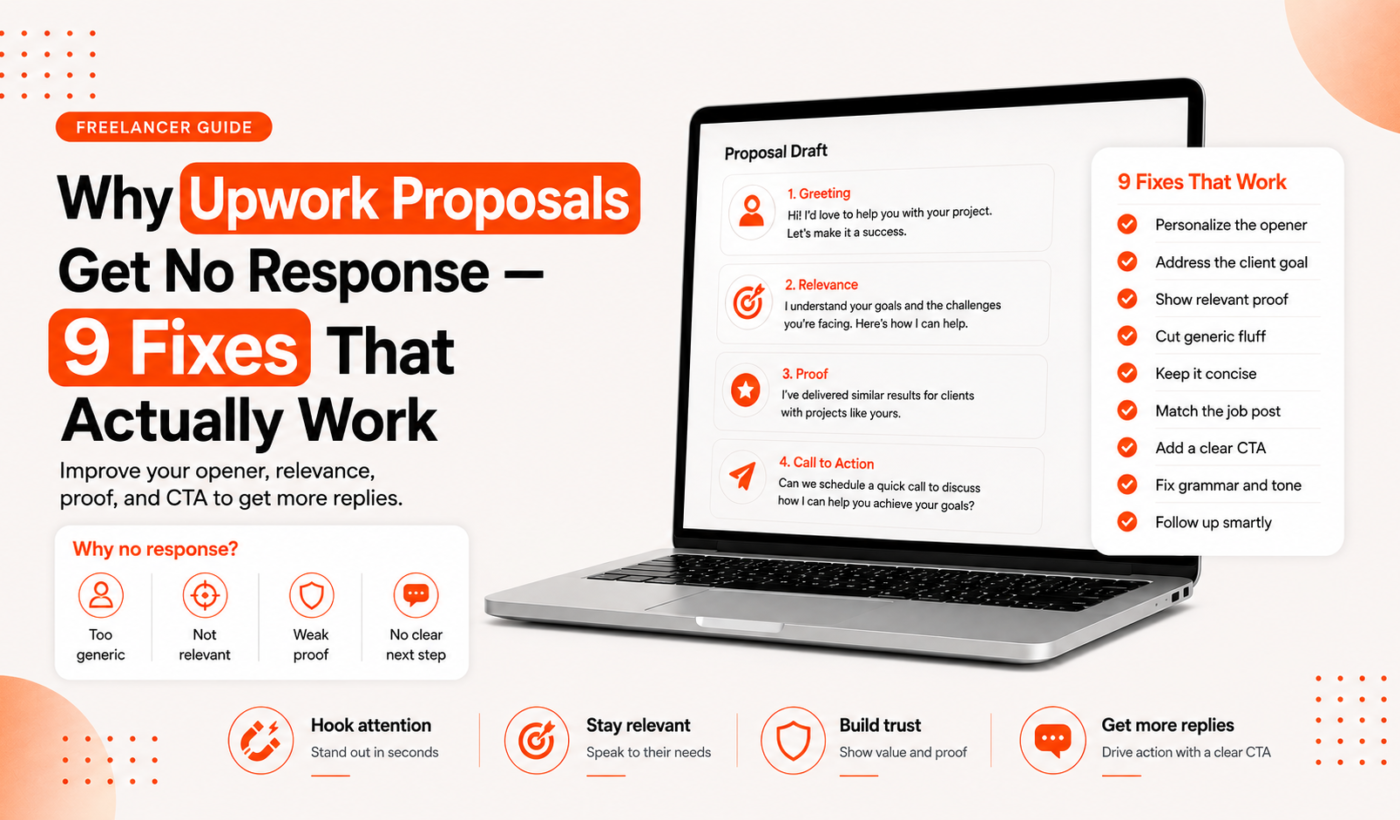
If your Upwork proposals get no response, you’re not alone—and it’s not always about skill or experience. Silent proposals, zero invites, and no interviews are common signals that something in your targeting, messaging, or profile is putting clients off.
This guide helps US-based freelancers (new and experienced) diagnose the real reasons behind no replies and take practical, example-driven steps to fix them. You’ll get quick checks, copyable opening lines, templates, a pre-send checklist, and links to free tools to speed the process.
Start fast: Generate a free personalized Upwork proposal to create a tailored draft you can humanize and edit.
Why Upwork proposals get no response — the most common reasons
Before rewriting every proposal, identify which of these problems matches your situation:
- You’re applying to mismatched jobs — poor targeting wastes connects and lowers reply chances.
- Weak opening lines — clients skim; if the first sentence is generic, they move on.
- No clear proof — portfolio, relevant samples, or short case snippets are missing.
- Profile and proposal inconsistencies — differing skills, rates, or tone reduce trust.
- Generic or AI-like proposals — lack of customization reads as copy-paste.
- Price signals — too low, too high, or unclear pricing can scare clients off.
- Poor timing — applying after many applicants or outside the client’s active window.
- Grammar, formatting, and clarity mistakes — sloppy writing loses credibility.
For a longer list you can cross-check, see 15 Upwork Proposal Mistakes Freelancers Should Avoid.
How to fix each problem — step-by-step actions
Target the right jobs: quick filters and red flags
- Use Upwork filters: client history, budget, and hires. Prioritize clients with verified payment methods and repeat hires.
- Red flags: vague descriptions, unrealistic timelines, or inconsistent skill requirements.
- Practical step: save a short job-scoring rubric (must-have skills, nice-to-have, budget match). Spend 30 seconds scoring the job before applying.
Write a compelling opening line (3 formulas + examples)
Three quick formulas to get attention:
- Result-focused: “I can increase [metric] by [action] in [timeframe] — example: I improved conversion for a SaaS landing page by clarifying the CTA.”
- Experience match: “I’ve built 6 Shopify stores and can finish yours with payment and shipping set up in 5 days.”
- Question hook: “Do you want to reduce ad CPC while keeping CPA steady? Here’s how I’d start.”
Use these short, specific starters instead of a generic “Hi, I’m available.”
Show relevant proof: mention portfolio links and samples the smart way
Clients want evidence that you solved a similar problem. Instead of linking to your entire portfolio, point to the single best sample and add a one-line result or context.
Example sentence to paste: “Relevant sample: a landing page I wrote for a SaaS (link) — increased demo signups 30% after copy and CTA changes.”
For more guidance on where to place links and how to name them, read How to Mention Your Portfolio in an Upwork Proposal.
Align your profile and proposal (3 areas to audit)
- Skills and job focus — does your headline match the jobs you apply to?
- Hourly rate vs proposal price — are you offering a fixed price far below your listed hourly rate?
- Tone and examples — use the same client-facing language in your profile and proposals.
Run a 10-minute audit: open your profile and a recent proposal side-by-side; highlight any mismatches and correct them before applying to new jobs.
Customize fast: a 60-second proposal customizer workflow
- Read the job post and copy three client keywords or pain points.
- Open your proposal draft and replace a generic opening with a keyword-rich sentence tied to client needs.
- Add one specific sample link named for the job (e.g., “Shopify checkout redesign sample”).
If you want a fast draft to customize, use the Upwork Proposal Generator to get a tailored structure and opening line you can edit in 60 seconds.
Set clear pricing and alternatives (fixed, hourly, milestones)
Include at least two options: a fixed-price scope and an hourly extension. Example phrasing:
“Option A: $800 to deliver the homepage and 3 inner pages (2 rounds of revisions). Option B: $40/hr for ongoing updates after launch. Which do you prefer?”
Clarity reduces friction and invites a decision.
Beat the timing problem: prioritize early replies
- Apply within the first 24–48 hours for new posts when possible.
- For older posts, call out recent updates or ask a clarifying question to show you read the brief.
Quick editing routine for clarity: 5-minute checklist
- Read aloud the opening two sentences — do they sound natural?
- Spell-check and grammar pass (use a grammar tool).
- Remove long paragraphs; keep one idea per short paragraph.
- Ensure the proposal ends with a clear next step (ask a question or request a quick call).
- Confirm sample link is named and relevant.
For common grammar problems and fixes, see Grammar mistakes freelancers make in proposals (examples and fixes).
Proposal templates and opening line examples
Short intro for small tasks (1–2 sentence template)
“Hi [Name], I can complete this [task] in [timeframe]. Relevant sample: [named link]. Do you want this as a fixed price or hourly?”
Longer scoped projects (structure and key paragraphs)
- Opening line that references a client pain point.
- One-paragraph approach: short steps you’ll take.
- Proof: one named sample with context.
- Pricing and next step: clear options and a question.
Hourly-rate proposals vs fixed-price proposals (examples)
Hourly example: “I charge $45/hr and estimate 6–8 hours for initial setup. I’ll log time and send weekly updates.”
Fixed-price example: “$900 for the full build including 2 revisions. Deliverables: homepage, 3 product pages, and deployment.”
Follow-up message template after one week
“Hi [Name], I wanted to check if you had time to review my proposal for [project]. I can start this week if you’d like — any questions I can answer?”
If you want to reword sections to match a client’s tone, use Paraphrase text for free.
Pre-send checklist: what to check before you hit Submit
- Match the client’s language and keywords (mirror a phrase or two).
- Attach the most relevant sample and name it clearly.
- Spell-check and formatting — run a quick pass with the Grammar Checker.
- Include a clear next step (ask a specific question or propose a call).
- Confirm your hourly rate or fixed-price estimate is clear and consistent with your profile.
Tools and resources to speed up better proposals
- Use the Upwork Proposal Generator to create tailored drafts quickly.
- Humanize AI drafts with the AI Text Humanizer so your voice sounds natural.
- Reword specific lines with the Paraphrasing Tool.
- Run a final grammar pass with the Grammar Checker.
- Condense long case studies into bullets using the Summarizer Tool and refine paragraph flow with the Paragraph Rewriter.
- For faster workflows and tips on generating proposals, see How To Generate Winning Upwork Proposals in Minutes (Not Hours).
When and how to follow up if you get no response
When to send a first follow-up
Wait about one week for most jobs. If the client was active recently or the job is urgent, 3–4 days can be fine. If you already had an exchange, wait 3–4 days for a response to a question.
Two concise follow-up message templates
Short follow-up: “Hi [Name], checking in on my proposal for [project]. Happy to adjust scope or timeline — any questions?”
Final follow-up: “I’m wrapping up my applications for this week — still available if you want to move forward or need a quick call.”
When not to follow up
Stop following up if the client explicitly posts “positions filled” or ignores multiple polite follow-ups. Repeated messages can be seen as spammy and harm future chances.
If you still aren’t getting interviews: next steps
Conduct a 30-minute profile audit checklist
- Headline clarity and keywords.
- Top 3 portfolio items match jobs you apply to.
- Profile photo and overview look professional and trustworthy.
Narrow your niche and create targeted samples
Pick a narrower specialty and build 2–3 samples that solve the exact problem clients ask for. Targeted samples convert better than a large generic portfolio.
Consider other platforms and direct outreach
If Upwork response rates stay low, test LinkedIn outreach or niche marketplaces while refining your Upwork approach.
Track results: basic metrics to measure improvement
- Proposals sent vs replies (response rate).
- Invites to interview vs offers (interview rate).
- Average time to first reply.
FAQ
Why do I send a proposal on Upwork and get no response?
Common reasons include poor job fit, generic copy, missing proof, unclear pricing, or simple timing. Use the checklist earlier to diagnose which applies to you.
How can I tell if I’m applying to the wrong jobs on Upwork?
If a job requires skills or experience you don’t show in your profile, or the client’s description is vague, it’s probably a mismatch. Score each job quickly against must-have criteria before applying.
What should I include in the first sentence of an Upwork proposal?
Lead with a specific result, a direct match to the client’s request, or a question that shows you read the brief. Avoid “I’m a [job title]” starters without context.
How many follow-ups are appropriate when a client doesn’t reply?
One polite follow-up after about a week is fine; a brief final follow-up after another week can close the loop. More than two polite follow-ups risks being perceived as pushy.
Can Typing Engine help me write proposals faster without sounding robotic?
Yes. Start with the Upwork Proposal Generator for a draft, then humanize it with the AI Text Humanizer and refine wording with the Paraphrasing Tool.
Conclusion and next steps
Key takeaways: diagnose whether the issue is targeting, wording, proof, pricing, timing, or clarity. Use short, specific openings, named samples, and a clear next step. Run a quick pre-send checklist every time.
Ready to speed a better draft? Generate a free personalized Upwork proposal and then humanize and polish it using Typing Engine’s free tools.