
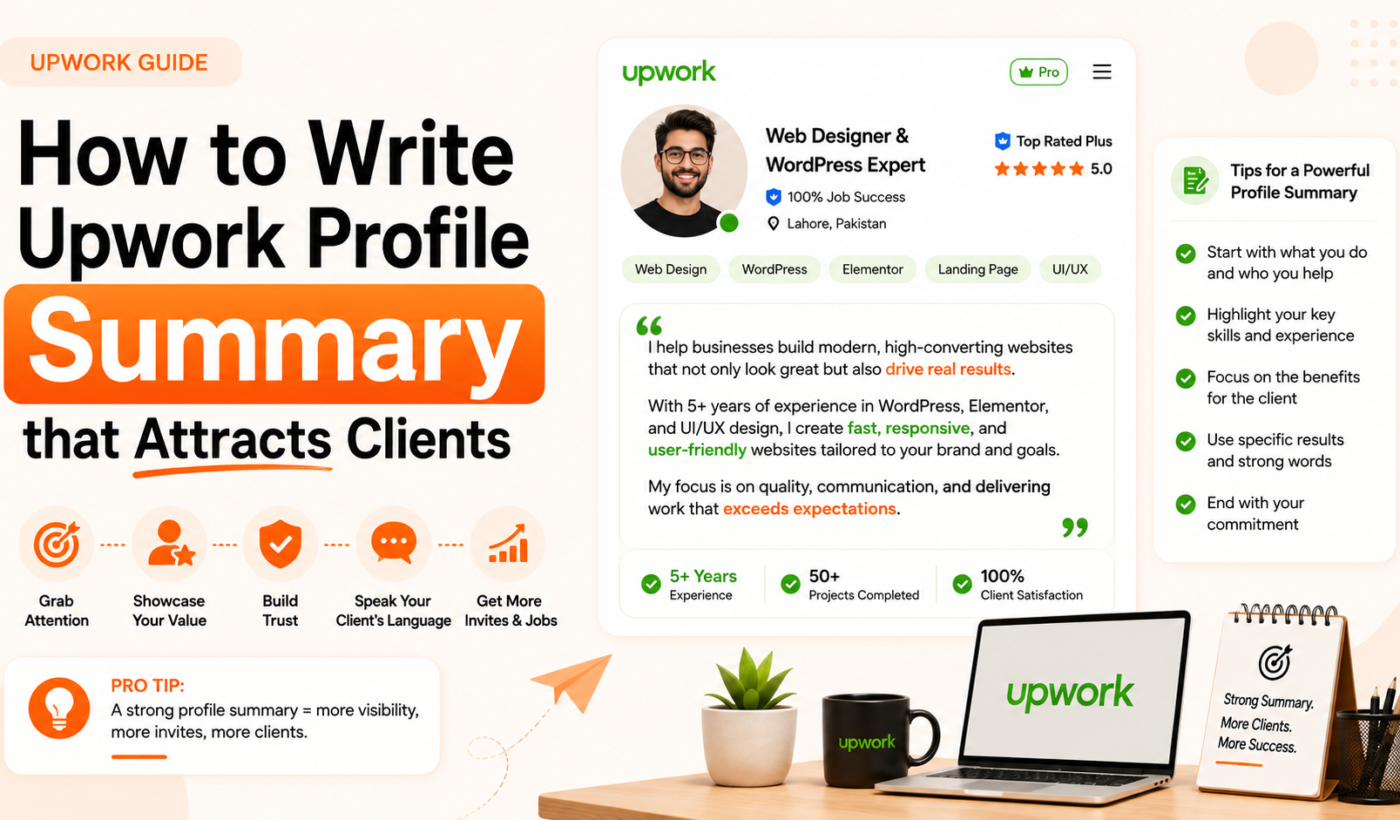
Most freelancers treat their Upwork profile summary like a resume. They list their skills. They describe their background. They maybe include a sentence about being “passionate” and “detail-oriented.” Then they wonder why clients are not reaching out.
Here is what those freelancers are missing: clients do not open your profile looking for your biography. They open it looking for a solution to their problem. Your Upwork profile summary — the overview section clients read before anything else — is not a place to talk about yourself. It is a place to talk about them.
The freelancers who consistently attract interview invites, who get contacted by clients before they even apply, have overviews with one thing in common: they are written entirely from the client’s perspective. This guide shows you exactly how to do that.
Why Your Upwork Profile Summary Is Your Most Important Sales Asset
Before we get into the how, it is worth understanding exactly what your overview does — and why it matters so much.
When a client searches for a freelancer on Upwork, they see a brief preview of your profile: your photo, your title, your hourly rate, and the first two or three lines of your overview. That preview is often the entire basis for their decision to click through or keep scrolling. Those first lines carry enormous weight.
Once they do click through, the full overview is the next thing they read — before your portfolio, before your reviews, before your employment history. A compelling overview can compensate for a thin portfolio. A weak one can undermine an otherwise strong profile.
Upwork’s own research shows that profiles with a clear value proposition and a specific call to action receive significantly more client messages. Clients are busy. They are reviewing multiple profiles. Your overview needs to do its job in seconds, not paragraphs.
The Core Principle: Make It About the Client, Not About You
LSI keyword placement: client-focused overview, value proposition freelance
This is the single most important shift you need to make when writing your Upwork profile summary.
Read the following two opening lines and notice which one makes you want to keep reading:
Version A: “I am a content writer with 5 years of experience. I specialize in blog posts, articles, and website copy. I am passionate about storytelling and helping businesses grow.”
Version B: “E-commerce brands hire me when they need content that converts browsers into buyers — not just fills a page.”
Version B is better because it immediately answers the client’s actual question: “What will this person do for my business?” It names a specific client type (e-commerce brands), a specific pain point (content that does not convert), and a specific outcome (buyers, not just words on a page). The client recognizes themselves in the first sentence.
Version A is about the freelancer. Version B is about the client. That difference is everything.
How to Structure Your Upwork Profile Summary
Long-tail keyword placement: how to start Upwork profile overview
A strong Upwork overview follows a clear structure that moves from hook to credibility to action. Here is the framework used by Top Rated and Top Rated Plus freelancers across every category.
Part 1: The Hook (First 2–3 Lines)
This is the most important real estate in your entire profile. These lines appear in search results before clients even click through. They need to do three things instantly: identify who you serve, acknowledge their problem, and suggest you have the answer.
The most effective hooks follow one of these patterns:
The client-first opener: Name your target client and their core problem in the first sentence. “SaaS founders come to me when their onboarding emails are losing trials at the activation step.”
The result-first opener: Lead with a specific outcome you deliver. “I help e-commerce brands reduce cart abandonment by 20–35% through UX audits and checkout optimization.”
The proof-first opener: Open with a compelling result or testimonial that summarizes your value. “‘Best developer we’ve worked with in 3 years’ — that’s the kind of feedback my clients leave, because I treat their product like it’s mine.”
What you should never start with: “Hi, I’m [name] and I’m a [job title].” This is the most common opener on Upwork, which means it is the most invisible. Clients do not care who you are until they believe you can help them.
Part 2: The Credibility Layer (Next 2–3 Paragraphs)
Once your hook has their attention, give them a reason to trust it. This is where you briefly describe what you do, who you have done it for, and what results followed. Key principle: specifics beat generalities every time.
Instead of: “I have experience with many types of clients and projects.” Write: “Over the past four years I have helped over 60 SaaS companies improve trial-to-paid conversion — with an average improvement of 28% within the first 90 days.”
If you have worked with recognizable brands, name them (if you are allowed to). If you have specific metrics from past work, include them. If you have certifications, awards, or notable credentials, mention them briefly here — not as a laundry list, but woven into the narrative.
Use bullet points sparingly in this section. They work well for listing specific services or capabilities, but do not turn your entire overview into a bullet list. Prose is more persuasive; bullets are harder to read as a connected narrative.
Part 3: The Specificity Layer (What You Do and For Whom)
This is where you get concrete about your services and your ideal client. The goal is to help the right clients self-select — and help the wrong clients self-deselect.
Be specific about the types of projects you take on. “Writing” is not specific. “Long-form conversion copy for B2B SaaS trial nurture sequences” is specific. Specific overviews attract clients who know exactly what they need. Generic overviews attract clients who are still figuring it out.
If you work within particular industries or with particular client types, say so. “I primarily work with funded startups and bootstrapped e-commerce brands” is a useful signal. It tells the right clients they are in the right place, and it sets an expectation that screens out budget-sensitive clients who are not a fit.
Part 4: The Call to Action (Final Lines)
LSI keyword placement: Upwork call to action
Every strong Upwork overview ends with a direction for the client — a clear instruction about what to do next. Most freelancers simply stop writing when they run out of things to say. That is a missed opportunity.
Examples of effective calls to action:
“If you are working on a project that fits this description, send me a message and let’s discuss the details.”
“I take on a limited number of new clients each month — if you’d like to explore working together, reach out and let’s set up a time to talk.”
“Send me your brief and I’ll respond with my thoughts on how I’d approach it.”
The call to action does not need to be aggressive or salesy. It simply tells the client what happens next, which makes them more likely to take that next step.
The Keywords Your Overview Needs (But Subtly)
LSI keyword placement: Upwork profile keywords, Upwork search algorithm
Upwork’s search algorithm uses your overview as one of the signals for matching your profile to relevant job searches. This means the language you use in your overview genuinely affects how often your profile appears in results.
The right approach is to research what terms clients in your niche are actually searching for — then weave those terms naturally into your writing. Search Upwork for jobs in your category and note the words that appear repeatedly in job descriptions. Those are the terms clients are using, which means those are the terms Upwork’s algorithm is looking for.
What you should never do is stuff your overview with keyword lists. “SEO | Content Writing | Blog Posts | Copywriting | Email Marketing | Social Media | Digital Marketing” is not a sentence — it is a red flag. Clients read that and see someone trying to appear in every search result rather than being genuinely expert at any one thing.
Natural keyword integration sounds like: “I write conversion-focused email sequences for B2B SaaS companies, typically focused on trial nurture, onboarding, and win-back flows.” Every term in that sentence is naturally searchable, and it reads like a human being wrote it.
The Most Common Upwork Profile Summary Mistakes
Long-tail keyword placement: what to write in Upwork profile overview
These are the mistakes that appear most frequently in Upwork overviews — and the ones most responsible for profiles that generate no activity.
Opening with “I”: The instinct to introduce yourself is natural, but it puts you at the center when the client should be. Reframe every “I” opening to put the client first.
Generic claims without proof: “I deliver high-quality work on time” means nothing because every freelancer claims this. Replace claims with evidence: “I have delivered every project on deadline across 140+ completed contracts” is the same claim with proof attached.
Listing everything you can do: The desire to seem versatile is understandable, but it works against you. A specialist profile consistently attracts better clients and commands higher rates than a generalist one. Pick your core offer and lead with it.
No call to action: Ending your overview mid-thought — or ending with something passive like “Looking forward to hearing from you” — leaves clients with nowhere to go. Direct them to a specific next step.
Writing for yourself, not the reader: Read your overview and ask: does every sentence serve the client’s decision-making process? If a sentence is about you and not about what it means for them, cut it or reframe it.
Upwork Profile Summary Examples: Before and After
Long-tail keyword placement: Upwork profile overview examples for beginners
See the difference between a typical overview and a client-focused one across two categories.
Graphic Designer — Before
“I am a creative graphic designer with 4 years of experience in branding, logo design, social media graphics, and web design. I am proficient in Adobe Illustrator, Photoshop, and Figma. I am passionate about helping businesses with their visual identity.”
Graphic Designer — After
“Startups and growing brands hire me when they need a visual identity that looks like it belongs in a premium market — not like a template someone bought for $30.
Over four years and 80+ branding projects, I have developed logos, brand systems, and social media templates for clients in tech, wellness, and e-commerce. My work does not just look good — it is built around what makes each business distinct.
I work best with founders and marketing teams who have a clear sense of where they want to take the brand and need a designer who can translate that vision into something clients actually remember.
Send me a message with what you are working on and I will tell you how I would approach it.”
The “after” version identifies the client type, names the problem (looking generic), suggests the result (premium positioning), gives proof (80+ projects), and ends with a clear action.
Web Developer — Before
“I am an experienced web developer with expertise in React, Node.js, and WordPress. I have been working as a freelancer for 3 years and have worked on many projects for clients worldwide. I am dedicated to meeting deadlines and delivering quality work.”
Web Developer — After
“E-commerce and SaaS teams come to me when they need a developer who ships clean, performant code — and communicates like a business partner, not just a contractor.
In three years of full-time freelancing I have built and optimized over 45 web applications, primarily in React and Node.js, with particular experience in payment integrations, user authentication systems, and performance optimization. My clients consistently note that I ask the right questions upfront, which means fewer revision cycles and more predictable timelines.
I work best on projects where the scope is defined and the client values clear communication over constant availability. If that sounds like your project, send me the brief and let’s talk.”
Your Profile Summary Checklist
Before you publish your Upwork overview, run through this list:
Does your first line identify your target client or their problem — not introduce you by name? Does your overview include at least one specific, quantifiable result from your past work? Have you named the types of clients and projects you serve best? Have you naturally incorporated keywords your target clients would search for? Does your overview end with a clear, specific call to action? Have you read it from the client’s perspective and confirmed every sentence answers “what does this mean for me?” Is your overview free of spelling errors, generic claims, and unsubstantiated adjectives?
Related Resources from Typing Engine
Free AI Tools for Freelancers
- Upwork Proposal Generator — Write winning Upwork proposals in seconds
- LinkedIn Bio & Headline Generator — Apply the same client-focused principles to your LinkedIn profile
- LinkedIn Post Generator — Attract inbound clients through LinkedIn content
- Twitter / X Bio Generator — Craft a sharp professional bio for social platforms
- Instagram Caption Generator — Grow your freelance brand on Instagram
- Privacy Policy Generator — Protect your freelance website instantly