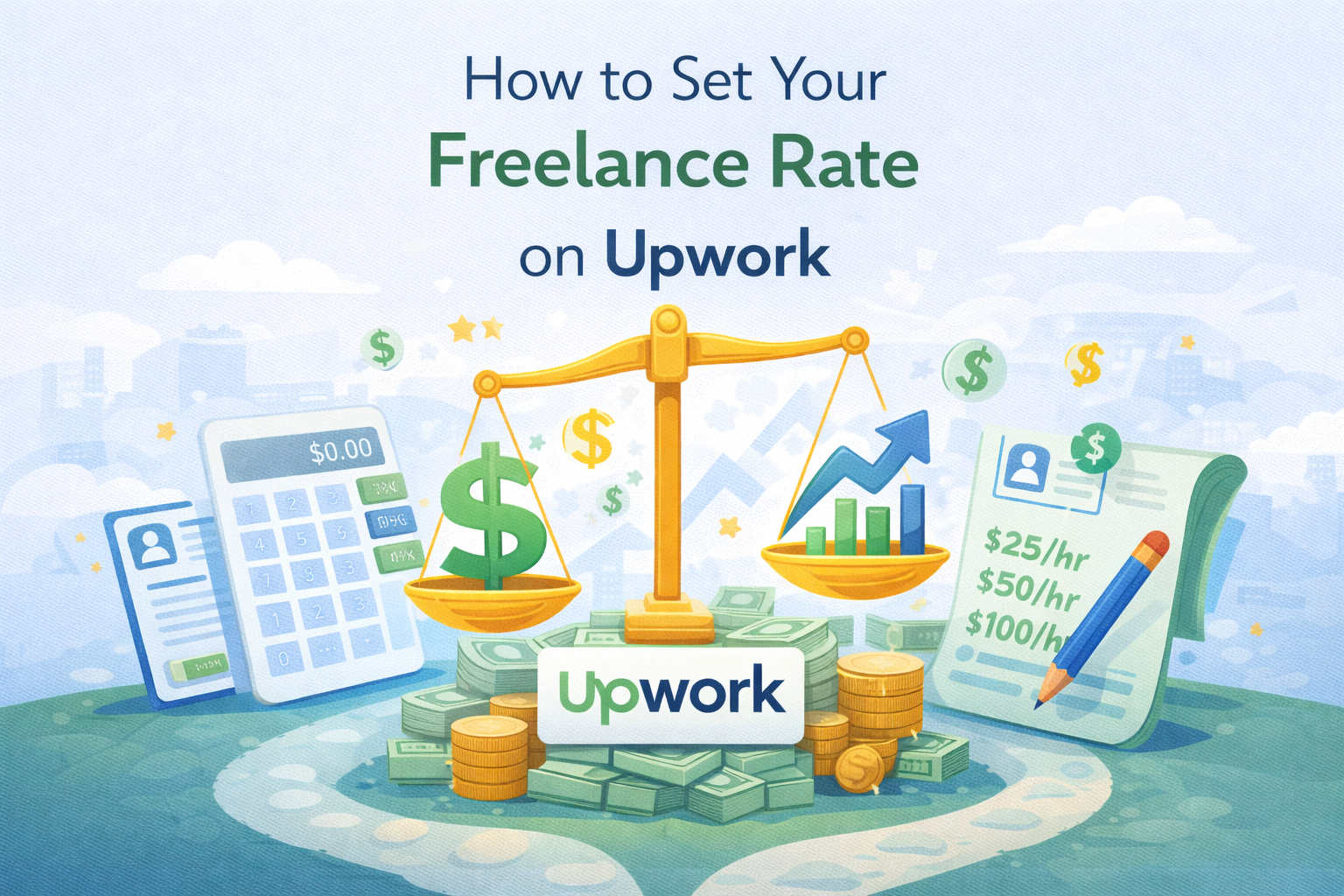
How to Set Your Freelance Rate on Upwork
One of the most anxiety-inducing decisions every freelancer faces on Upwork is not writing the perfect proposal or building a polished profile. It is the number in the rate field.
Set it too low and you attract the wrong clients, work yourself ragged, and train Upwork’s algorithm to associate your profile with budget work. Set it too high without the track record to back it up and you watch your proposals disappear into the void. And somewhere in between is the number that actually reflects your value, pays your bills, and wins quality clients.
This guide walks you through exactly how to set your freelance rate on Upwork — not based on guesswork or copying whatever number you saw someone post in a Facebook group, but on a real calculation grounded in your costs, your market, and your goals.
Why Your Upwork Rate Is More Than Just a Number
Before we get into the math, let’s talk about what your rate actually signals.
When a client sees your profile, your hourly rate is one of the first things they process. It is a proxy for quality, confidence, and experience — even before they read a single word of your overview. Clients on Upwork are not exclusively hunting for the cheapest option. Upwork’s own research shows that clients regularly award contracts to freelancers who bid higher than the average, because a higher rate signals expertise and reduces perceived risk.
A rate that is too low can actually cost you clients. It raises the question: if this person is so good, why are they charging so little? It attracts clients who are already price-sensitive and likely to be difficult to work with. It sets an expectation that is hard to escape as you try to grow.
Your rate is your first marketing message. Make sure it says what you want it to say.
Step 1: Calculate Your Minimum Viable Rate
LSI keyword placement: minimum freelance rate, freelance income calculator
The first number you need is your floor — the minimum you can charge and still run a sustainable freelance business. Everything else is built on top of this.
Here is how to calculate it.
Start with your target annual income. This is the amount you want to take home after taxes and platform fees — not gross revenue, but actual money in your pocket. Let’s say your target is $50,000 per year.
Account for taxes. As a freelancer, you pay both the employee and employer portions of self-employment tax, plus income tax. A general rule of thumb is to set aside 25–30% of gross income for taxes, though the exact amount depends on your country, filing status, and deductions. To net $50,000, you need to earn roughly $65,000–$70,000 before taxes.
Account for Upwork’s service fee. Upwork charges a variable fee of 0–15% on your earnings, with most freelancers paying around 10%. To bring home $65,000 after Upwork’s cut, you need to bill approximately $72,000–$73,000 in gross earnings.
Calculate your billable hours. Not every hour of your working day is billable. Time spent on proposals, admin, invoicing, professional development, and marketing is real work that does not get paid directly. A realistic estimate for most freelancers is that billable hours represent about 60% of total working time. If you work 40 hours per week and take 2 weeks of vacation, that’s roughly 2,000 working hours per year, of which approximately 1,200 are billable.
The calculation:
Target earnings ÷ Billable hours = Minimum hourly rate $72,000 ÷ 1,200 = $60/hour
That is your floor. You should not bid below $60/hour if you want to realistically hit your $50,000 take-home goal. Many freelancers set their profile rate lower than this because they are nervous about competition — and then wonder why freelancing never feels financially sustainable.
Step 2: Research What the Market Is Paying
Secondary keyword placement: Upwork hourly rate, competitive Upwork rate
Your minimum viable rate tells you what you need. Market research tells you what is actually possible.
The best place to start is Upwork itself. Search for freelancers in your category with a similar level of experience and review history. Look at their displayed rates. Note the range — the lowest, the middle, and the top — and pay attention to where the Top Rated and Top Rated Plus freelancers in your niche tend to sit.
A few things to keep in mind as you do this research:
The displayed profile rate is not always what freelancers actually charge on individual contracts. Upwork’s work history tab often shows the actual amounts paid on completed jobs, which can be significantly higher than the profile rate suggests. Some freelancers set a conservative profile rate as a foot-in-the-door figure and negotiate higher on specific contracts.
Also note that job postings include a budget range, and most clients use Upwork’s default suggested range — not their actual budget. Clients regularly pay far more than their initial posting suggests when they find a freelancer who clearly fits their needs. Do not let low posted budgets anchor your pricing.
Use this research to understand where you fall in the competitive landscape, not to copy someone else’s number. Your rate should reflect your unique combination of experience, niche, and value delivered.
Step 3: Choose Your Pricing Model — Hourly vs. Fixed Price
Long-tail keyword placement: hourly vs fixed price on Upwork which is better
Upwork supports two main contract types, and the right choice depends on the nature of your work and your relationship with the client.
Hourly Contracts
Hourly billing works best for ongoing work, projects with an unclear or evolving scope, and situations where the client needs consistent availability. You track your time using Upwork’s Work Diary app, and you are paid for logged hours each week.
The advantages are meaningful: you are protected by Upwork’s payment guarantee on logged hours, scope changes do not eat into your profitability, and ongoing hourly contracts tend to build stronger client relationships over time.
The downside is that hourly contracts cap your earnings at your rate times your hours. You cannot earn more by working faster or delivering exceptional value — your income scales linearly with time.
Fixed-Price Contracts
Fixed-price billing works best for defined, deliverable-driven projects with a clear scope. You and the client agree on a total amount, funds are held in escrow via milestones, and you are paid on delivery.
Fixed-price contracts allow you to earn more per hour of effort if you are efficient and experienced. A project that takes you three hours might take a less experienced freelancer eight — but if you both quote $500 for the same deliverable, you come out significantly ahead on an effective hourly basis.
The downside is scope creep risk. Clients may request additional revisions or deliverables that were not part of the original agreement, and the fixed price makes it easy for them to push for more. Clear, detailed scope agreements and firm revision policies are essential on fixed-price contracts.
A Simple Rule of Thumb
Use hourly for ongoing work, consulting, and projects where the scope is not fully defined. Use fixed-price for discrete deliverables where you can accurately estimate the effort required and enforce a clear scope. Many experienced freelancers use both models depending on the type of work and the client relationship.
Step 4: Factor in the Upwork Service Fee When Setting Your Rate
LSI keyword placement: how much does Upwork take, Upwork service fee
This step is overlooked by a surprising number of freelancers, and it costs them meaningful income.
Upwork’s service fee is taken from your earnings — the amount the client pays you. So if you want to take home $50/hour, you need to charge more than $50/hour to cover the fee.
The math is simple:
Desired take-home rate ÷ (1 − Upwork fee rate) = Rate to charge client
At a 10% fee: $50 ÷ 0.90 = $55.55/hour At a 15% fee: $50 ÷ 0.85 = $58.82/hour
Upwork actually provides a built-in rate calculator when you submit proposals to help you see your estimated net earnings. Use it every time. The difference between your gross rate and your actual take-home is real money that should be accounted for in your pricing, not absorbed as a surprise.
Step 5: Position Your Rate Strategically as a New Freelancer
Long-tail keyword placement: how to price yourself on Upwork with no experience
If you are new to Upwork with zero reviews, you face a specific challenge: you cannot yet demonstrate your track record through your profile, so you need to communicate value through every other channel — your portfolio, your proposals, your overview, and yes, your rate.
The conventional advice is to start low and raise your rates once you have reviews. There is some truth to this, but it is easily overdone. Setting an extremely low rate (below your market range) signals inexperience and attracts clients who are not looking for quality. You end up in a race to the bottom.
A better approach for beginners:
Set your rate at the lower end of the market range for your niche — not below it. Research shows that clients regularly pay more than the average bid. You do not need to be the cheapest option to win work; you need to be the most convincing option. A proposal that articulates specific value is worth more than a 20% rate discount.
Apply selectively for the first 8–12 weeks. Target clients who have a history of leaving reviews and who are posting clear, well-defined jobs. Win 3–5 quality contracts, earn strong reviews, and establish your Job Success Score before thinking about much else.
Once you have a 90%+ JSS and 5+ positive reviews, your rate has objective justification. Raise it by 15–20%. See how your acceptance rate responds. If proposals still convert at a reasonable rate, raise it again in another 60–90 days.
Step 6: Understand Value-Based Pricing (And When to Use It)
LSI keyword placement: value-based pricing
Hourly and fixed-price models both have one limitation in common: they price your time, not your impact.
Value-based pricing is a different approach entirely. Instead of calculating hours times rate, you price your service based on the business outcome you deliver for the client. A freelancer who can demonstrably grow a client’s revenue by $100,000 has a very different conversation about pricing than a freelancer who is pricing their time at $75/hour.
Value-based pricing is not for beginners and it is not for every service type. It works best when you have a documented track record of specific, measurable results, when your service directly connects to a revenue or cost outcome for the client, and when you are working with clients who understand the concept of ROI.
When you have those conditions, a single project might be priced at $5,000–$20,000+ even though the actual time investment is modest — because what the client is buying is a specific business result, not a number of hours.
Most freelancers will work with hourly and fixed-price models for years before value-based pricing becomes realistic. But it is worth understanding as a direction to grow toward, especially as you accumulate case studies and measurable results.
Step 7: How to Raise Your Rates Without Losing Clients
Long-tail keyword placement: how to raise your rate on Upwork without losing clients
You have built a track record. Your JSS is strong. Your profile is complete. And your current rate no longer reflects the value you bring. Here is how to raise it without disrupting your business.
Raise your rate on new contracts only. Existing long-term clients do not need to see an immediate change. When you are starting a new contract or writing a new proposal, bid at your new, higher rate. New clients have no reference point for your previous rate, so there is no anchoring effect to overcome.
Give existing clients advance notice for ongoing contracts. If you have a long-term hourly client you work with weekly, let them know 4–6 weeks in advance that your rate is increasing. Frame it around the value you have delivered and the level of expertise you now bring to their work. Most good clients respect this — they know what it costs to find and onboard a new freelancer who produces reliable results.
Raise gradually, not dramatically. A 15–25% increase is easy for clients to process. A 100% increase in one jump creates friction even for loyal clients. Steady, predictable increases over time are how freelancers build to top-tier rates without losing their client base.
Update your profile rate. Your Upwork profile displays an hourly rate that clients see before they even look at your proposals. If your profile rate is significantly lower than what you are actually charging on contracts, there is a mismatch that can create confusion. Keep your profile rate current.
Quick Reference: Upwork Rate-Setting Checklist
Before you finalize your rate, run through this checklist:
Have you calculated your minimum viable rate based on your income goal, taxes, and billable hours? If not, you are guessing — and guessing usually means undercharging.
Have you researched rates of comparable freelancers in your niche on Upwork? Look at profiles with similar experience levels and review counts, not profiles of the most elite earners in your category.
Have you accounted for Upwork’s service fee in your rate? Your gross rate and your take-home rate are different numbers. Make sure you are pricing for the take-home you need.
Is your rate positioned in the market range for your niche, not below it? Being the cheapest option attracts the wrong clients and signals low confidence.
Have you committed to a review schedule for your rate? Rates should increase as your skills, experience, and track record grow. Set a calendar reminder every 90 days to evaluate whether your current rate still reflects your market value.
Related Resources from Typing Engine
Free AI Tools for Freelancers
- Upwork Proposal Generator — Write winning Upwork proposals in seconds
- LinkedIn Post Generator — Attract inbound freelance clients through LinkedIn
- LinkedIn Bio & Headline Generator — Build a professional LinkedIn presence to complement your Upwork profile
- Twitter / X Bio Generator — Craft a sharp professional bio for social platforms
- Instagram Caption Generator — Grow your freelance brand across social channels
- Privacy Policy Generator — Protect your freelance website instantly