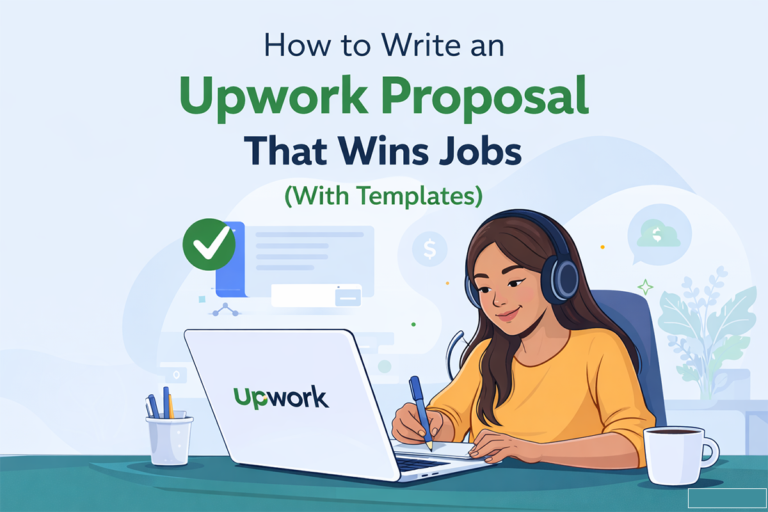
How to Write an Upwork Proposal That Wins Jobs (With Examples)
Let me tell you something that most freelancing advice gets wrong.
They tell you to “be professional” and “highlight your skills.” That sounds nice. But it is also exactly what every other freelancer does. And that is why most proposals on Upwork get completely ignored.
Here is the reality. The average Upwork job posting receives somewhere between 20 and 50 proposals. Some popular jobs get over a hundred. The client is not reading every single one word for word. They are scanning. They are looking for a reason to say yes to someone and a reason to skip everyone else.
So the question is not really “how do I write a good proposal.” The real question is “how do I write a proposal that makes a busy client stop scrolling and actually respond to me.”
That is what this guide is about. No fluff, no generic advice. Just the exact structure, psychology, and examples that separate proposals that win jobs from proposals that disappear into the void.
And if you want to skip the writing entirely, our free Upwork Proposal Generator can create a personalized proposal from any job description in about 30 seconds. We wrote an entire guide on how to use it effectively that is worth reading alongside this one.
Why Most Upwork Proposals Fail (And What To Do Instead)
Before we get into what works, let’s talk about what does not. Because chances are, if you have been sending proposals and hearing crickets, you are making one of these mistakes.
You start by talking about yourself. “Hi, my name is John and I have 5 years of experience in…” Stop. Nobody cares about you yet. The client opened your proposal hoping you would talk about their problem, their project, their needs. When the first thing they see is your resume, their brain checks out.
Your proposal could apply to literally any job. Clients can smell a copy paste proposal from a mile away. If you could send the same exact text to ten different job postings without changing a word, it is too generic. And clients will skip right past it.
You write too much. This one surprises people. You would think a longer, more detailed proposal shows effort, right? Wrong. A freelancer named Biron Clark from Career Sidekick shared that his five most recent successful proposals on Upwork averaged just 87 to 116 words. That is shorter than this paragraph. Brevity signals confidence. It shows you know what you are doing and you do not need to over explain yourself.
You end without a clear next step. A lot of proposals just trail off at the end. “Looking forward to hearing from you” is not a call to action. It is a dead end. Give the client something specific to respond to.
The good news? Fixing these mistakes is not complicated. You just need the right structure. Let’s build one.
The 5 Part Proposal Formula That Actually Works
Every winning Upwork proposal follows this flow, even if the freelancer does not realize they are doing it. Think of it as a conversation, not a cover letter.
Part 1: Prove You Read The Job Post (First 2 Sentences)
This is the single most important part of your proposal. In the first two sentences, you need to reference something specific from the job description. Not a vague summary. Something that shows you actually read it and thought about it.
Bad example: “I saw your job posting and I am interested in helping.”
Good example: “You mentioned you are looking for someone to rewrite your product descriptions with an SEO focus. That is exactly the kind of project I specialize in.”
See the difference? The second one mirrors the client’s own words back to them. It creates an instant feeling of “this person gets it.” Michael de la Guerra, a successful Upwork copywriter, calls this technique “echoing” and says it is the single biggest factor in his high response rate.
Part 2: Show You Understand Their Problem (1 to 2 Sentences)
Now go one level deeper. Do not just repeat what they said. Show that you understand why it matters to them.
“Getting product descriptions right is tricky because they need to do two things at once. They need to rank on Google so people find them, but they also need to sound compelling enough to make someone click ‘Add to Cart.’ Most descriptions do one or the other, not both.”
This is powerful because you are demonstrating expertise before you even talk about your experience. The client thinks “wow, this person actually understands the challenge I am facing.”
Part 3: Share Relevant Experience With Proof (2 to 3 Sentences)
Now you can talk about yourself. But frame everything in terms of results, not credentials. Nobody cares that you have a degree in marketing. They care that you helped a similar company increase their organic traffic by 45%.
“I have written over 300 e-commerce product descriptions in the health and beauty space. For one client, my descriptions helped increase organic traffic by 45% in three months while keeping the conversion rate above 4%.”
Notice the specific numbers. Numbers make claims believable. If you do not have exact metrics, use what you have. “I helped a similar client launch their entire product line” is still better than “I have experience in product descriptions.”
Part 4: Briefly Explain Your Approach (2 to 3 Sentences)
This is your chance to show the client you have already started thinking about their specific project. Not a full project plan. Just enough to show initiative.
“For your project, I would start by reviewing your top 5 performing descriptions and your main competitors. Then I would build a template that balances your target keywords with benefit driven copy. I usually deliver in batches of 20 so you can review and give feedback before I continue.”
This does two things. It shows competence and it manages expectations. The client can already picture working with you.
Part 5: Close With A Question (1 to 2 Sentences)
End with something that invites a response. A question works best because it turns your proposal from a monologue into the start of a conversation.
“Would it help if I rewrote two or three of your existing descriptions as a quick sample so you can see the quality before we commit to the full project?”
This is brilliant because you are lowering the client’s risk. They do not have to say yes to the whole project. They just have to say yes to a small, easy next step. And once they respond, you are already in a conversation.
Real Examples: A Proposal That Wins vs. One That Loses
Let’s look at both side by side for the same job posting.
The job: “Need a social media manager to handle our Instagram and LinkedIn accounts. We are a B2B SaaS company in the project management space. Looking for someone who understands our industry.”
The Losing Proposal
“Hello, I am a social media manager with 4 years of experience. I have managed accounts on Instagram, Facebook, Twitter, and LinkedIn for various clients. I am proficient in Canva, Buffer, and Hootsuite. I am detail oriented and a hard worker. Please check my portfolio for samples. I look forward to your response.”
Why this fails: It says nothing about the client’s business. It lists skills instead of results. It could be sent to literally any social media job on the platform. There is nothing here that would make the client think “this person understands MY business.”
The Winning Proposal
“I noticed you are looking for someone who understands the B2B SaaS space, specifically project management tools. That is my wheelhouse. I have managed social accounts for two other SaaS companies, including [Company], where I grew their LinkedIn following from 2,000 to 11,000 in six months while generating 40+ inbound demo requests directly from LinkedIn content.
For your accounts, I would focus on thought leadership content on LinkedIn (since that is where your B2B buyers spend their time) and use Instagram to humanize the brand with behind the scenes and team content. I would start with a 30 day content calendar so we can align on direction before publishing.
Would a quick 15 minute call this week make sense to discuss your current content strategy and goals?”
Why this works: It references their specific industry. It shares a measurable result from a similar project. It suggests a concrete approach tailored to their business. And it closes with a low friction next step.
Speed Up The Process Without Sacrificing Quality
Here is the hard truth about Upwork. You need to apply to a lot of jobs to land consistent work. The freelancers who succeed are the ones who can write quality proposals quickly, not the ones who spend an hour crafting a single perfect proposal.
That is why we built the Upwork Proposal Generator. You paste in the job description and it creates a personalized, well structured proposal using the exact framework we covered above. You can then tweak it in 60 seconds and hit submit.
If you are new to the tool, our article on how to generate winning Upwork proposals in minutes walks through the entire process step by step with before and after examples.
But whether you write proposals manually or use AI assistance, the most important thing is this: every proposal should feel like it was written for that one specific client. That is the bar. Everything else is details.
Tips for Standing Out When You Have Zero Reviews
If you are brand new on Upwork, you face the classic chicken and egg problem. Clients want to see reviews before they hire you. But you cannot get reviews until someone hires you.
Here is how to break the cycle.
Take your first few jobs for less than your target rate. This is not “working for free.” It is an investment in building your reputation. Your first five to ten jobs should be about collecting five star reviews, not maximizing revenue. Once you have those reviews, you can raise your rates significantly.
Offer a free sample or test task in your proposal. This removes all risk for the client. They get to see your work quality before committing a single dollar. And most clients will feel obligated to hire you after you deliver great work for free.
Build your profile before you start applying. Your Upwork profile is your storefront. If it looks empty or generic, even a great proposal will not convert because the client will click your name, see a weak profile, and move on. Need help writing a professional summary? Our LinkedIn Bio and Headline Generator works great for Upwork profile summaries too. Same principles, same psychology.
Apply fast. Proposals submitted within the first hour of a job posting get significantly more attention. Set up alerts for your target keywords and respond quickly.
How Your Profile And Proposal Work Together
Your proposal gets the client’s attention. Your profile seals the deal. Most clients read your proposal first, and if it interests them, they click through to your full profile to validate their interest.
That means your profile needs to back up everything your proposal says. If your proposal mentions SaaS experience, your profile should highlight SaaS projects. If your proposal mentions specific results, your portfolio should contain work samples that prove it.
Think of the proposal as the movie trailer and the profile as the full movie. They need to tell the same story.
If you want to strengthen your overall online presence while you are at it, consider optimizing your LinkedIn profile and your Twitter bio too. Many clients will Google you before hiring, and having a consistent professional presence across platforms builds trust. We covered the importance of social media for freelancers in our article about the top social media platforms of 2025.
Common Mistakes to Avoid
Do not start with “Dear Hiring Manager.” It sounds like a 1990s cover letter. Just say “Hi” or “Hello.” If you can find the client’s name in their job post or reviews, use it. That small touch shows attention to detail.
Do not mention your rate in the proposal unless asked. Let the client see your value first. If you lead with price, the conversation becomes a negotiation before you have even demonstrated what you bring to the table.
Do not apply to jobs you are not qualified for. Upwork tracks your hire rate as part of your Job Success Score. Applying to everything and getting rejected will actually hurt your profile over time. Be selective.
Do not use the same 30 hashtags on every application. Just kidding, that is Instagram advice. But if you do need help with your Instagram hashtags or Instagram captions, we have tools for that too.
FAQs
How long should my Upwork proposal be?
Keep it between 100 and 200 words. Some of the most successful freelancers on the platform regularly win jobs with proposals under 100 words. The key is saying the right things, not saying a lot of things.
Should I use a template for every proposal?
Use a template as a starting framework, but always customize at least 30 to 40% of it for each specific job. Clients can tell when you did not bother reading their posting.
How many proposals should I send per day?
Five high quality, targeted proposals per day will outperform twenty generic ones. Focus on jobs where you are genuinely a strong fit.
What if the job post is really vague?
Ask a clarifying question in your proposal. Something like “I would love to help with this project. Before I outline a full approach, could you clarify whether you are looking for X or Y?” This shows professionalism and often gets a response even when other proposals do not.
Can AI write my Upwork proposals?
AI is an excellent starting point. Our Upwork Proposal Generator creates a solid personalized draft in seconds. But always add your own voice, stories, and specific details before submitting. The best proposals combine AI speed with human authenticity.
Related reading on Typing Engine Blog:
How To Generate Winning Upwork Proposals in Minutes · The 5 Minute Twitter Bio Formula · Top Leading Social Media Platforms of 2025
Free tools mentioned in this article:
Upwork Proposal Generator · LinkedIn Bio & Headline Generator · Twitter Bio Generator · Instagram Hashtag Generator · Instagram Caption Generator · LinkedIn Post Generator