
LinkedIn has over a billion users, but only about 1% post content regularly. That tiny group captures nearly all the attention, engagement, and opportunities on the platform. The good news? You don’t need to be a professional writer or have a massive following to go viral on LinkedIn. You just need to understand how the platform works and what makes people stop scrolling.
In this guide, we’ll break down the anatomy of a viral LinkedIn post, share proven frameworks you can use today, and show you real examples of posts that generated thousands of impressions.
Short on time? Use our free LinkedIn Post Generator to create 3 optimized post options in under 30 seconds.
How the LinkedIn Algorithm Works in 2026
Understanding the algorithm is the foundation of every successful LinkedIn post. Here’s the simplified version of what happens when you hit “Post.”
In the first hour, LinkedIn shows your post to a small segment of your connections — roughly 5 to 10% of your network. The algorithm then watches what happens. If people react, comment, or share, it expands distribution to a wider audience. If the post gets ignored, distribution stops.
The algorithm weighs engagement signals differently. Comments carry the most weight because they signal that your content sparked a real conversation. Reactions (likes) matter but carry less weight. Shares expand reach significantly. Saves (a newer metric) signal high-value content. The key takeaway is that getting early comments in the first 60 to 90 minutes is critical.
LinkedIn also rewards “dwell time” — how long people spend reading your post. If someone pauses their scroll to read your entire post, the algorithm interprets that as high-quality content, even if they don’t leave a reaction.
The Anatomy of a Viral LinkedIn Post
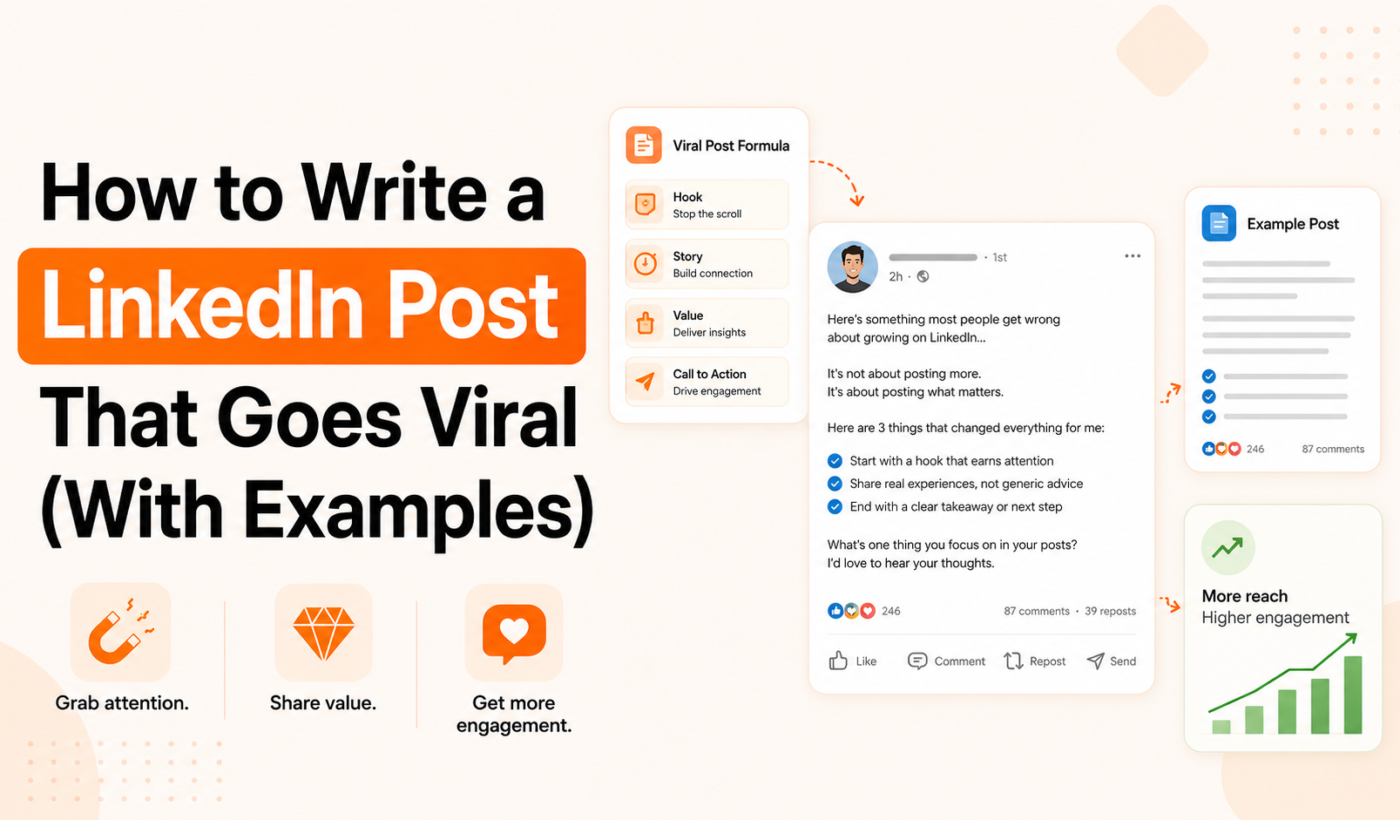
After analyzing hundreds of viral LinkedIn posts, a clear pattern emerges. Every high-performing post follows a structure, whether the author realizes it or not.
The Hook (First 2 Lines)
This is the single most important part of your post. LinkedIn truncates posts after approximately 210 characters (about 2 lines on desktop), showing a “…see more” link. If your first 2 lines don’t make someone click, nothing else matters.
Effective hooks fall into a few categories:
The Contrarian take — challenge something everyone believes. Example: “I turned down a $200K offer. Here’s why that was the best decision I ever made.”
The Curiosity gap — create an information gap the reader needs to fill. Example: “I made one change to my LinkedIn profile. Within 48 hours, 3 recruiters reached out.”
The Surprising statistic — lead with a number that feels unexpected. Example: “93% of hiring managers check LinkedIn before scheduling an interview. Most profiles fail this test.”
The Bold confession — share something vulnerable or unexpected. Example: “I got fired 6 months ago. It was the best thing that happened to my career.”
The Body (The Story or Insight)
The middle of your post delivers on the promise of your hook. This is where you share the story, insight, framework, or lesson. The key principles for the body are short paragraphs (1 to 2 sentences each), line breaks between paragraphs for mobile readability, concrete details instead of vague generalizations, and a mix of personal experience with universal takeaways.
Avoid walls of text. LinkedIn is primarily consumed on mobile, and dense paragraphs get skipped. Every sentence should earn the next one.
The Close (CTA + Question)
The final part of your post drives engagement. The most effective closing combines a takeaway with a genuine question.
Examples: “What’s the boldest career move you’ve ever made?” or “Agree or disagree? I’d love to hear your take in the comments.”
The question should be easy to answer. Avoid questions that require deep thought — most people are scrolling during a break and want to share a quick opinion, not write an essay.
7 LinkedIn Post Frameworks That Work
Here are proven templates you can adapt for any topic.
1. The Story Framework
Open with a dramatic moment, provide context, share the turning point, and end with the lesson. This is the most engaging format because humans are wired for stories. Start in the middle of the action, not the beginning.
2. The Listicle Framework
“X things I learned about [topic].” Number each point and keep them scannable. This works because readers can quickly assess if the content is worth their time, and numbered lists create a natural progression that keeps people reading.
3. The Hot Take Framework
State a controversial or unpopular opinion about your industry, then explain your reasoning with evidence. The key is to be genuinely thoughtful, not just provocative for clicks. Back your take with experience or data.
4. The Before/After Framework
Share a transformation — yours, your client’s, or your team’s. What was the situation before? What changed? What’s the result now? This works especially well for founders, consultants, and anyone in a results-oriented field.
5. The Lesson Learned Framework
“I used to think [common belief]. Then [experience happened]. Now I know [better insight].” This format positions you as someone who grows and reflects, which builds trust and authority.
6. The Question Post
Ask a thought-provoking question and share your own answer in 3 to 5 sentences. Then invite others to share theirs. These posts often generate the highest comment counts because the barrier to participation is low.
7. The Data/Trend Post
Share an interesting statistic, trend, or data point and add your own interpretation. What does this mean for your industry? What should people do about it? Data posts position you as someone who stays informed and thinks critically.
Need help turning these frameworks into actual posts? Our LinkedIn Post Generator lets you choose your tone, goal, and length — and generates 3 polished options using these exact principles.
Formatting Tips for Maximum Engagement
How your post looks is almost as important as what it says. Here are the formatting rules that top LinkedIn creators follow.
Keep paragraphs short. One to two sentences maximum. This creates white space that makes your post easy to scan on mobile.
Use line breaks liberally. Double-space between paragraphs. A post that looks like a wall of text gets scrolled past, no matter how good the content is.
Front-load your value. Don’t bury the lead. The most important insight should appear early, not at the end.
Skip the emojis (or use them sparingly). One or two emojis can add personality, but posts that use emojis as bullet points for every line tend to look like spam.
Put hashtags at the bottom. Use 3 to 5 relevant hashtags at the very end of your post. They help with discoverability but shouldn’t distract from your message.
Avoid external links in the post body. LinkedIn’s algorithm deprioritizes posts with external links because they take users off-platform. If you need to share a link, put it in the first comment instead.
When to Post on LinkedIn
Timing matters, but it’s not as complicated as people make it. The general best times to post on LinkedIn are Tuesday through Thursday, between 8 AM and 10 AM in your audience’s timezone. Posting on Monday mornings or Friday afternoons tends to underperform.
However, the most important factor isn’t the exact time — it’s being available to respond to comments in the first hour. If you post at 9 AM and spend the next 60 minutes replying to every comment, you’ll outperform a perfectly timed post that gets no early engagement.
Common Mistakes That Kill LinkedIn Posts
Starting with “I’m excited to announce…” This is the most overused opening on LinkedIn and trained most people to scroll past immediately.
Being too corporate. LinkedIn is professional, but it’s not a press release. The posts that perform best sound like a smart person talking to you over coffee, not a company memo.
Writing for everyone. The more specific your post, the more it resonates. A post about “how I helped a SaaS startup increase demo bookings by 40%” will outperform “tips for growing a business.”
No hook. If your first line doesn’t stop the scroll, the rest of your post doesn’t exist.
No engagement loop. If you don’t end with a question or prompt, people consume your content and move on without commenting. Comments are the #1 signal the algorithm uses to expand distribution.
FAQs
How long should a LinkedIn post be?
The best-performing posts tend to be 150 to 300 words — long enough to provide substance but short enough to keep attention. For storytelling posts, you can go up to 500 words if every sentence earns the next.
Do LinkedIn hashtags still work?
Yes, but their impact is smaller than on Instagram. Use 3 to 5 relevant hashtags at the end of your post. They help with search discoverability but won’t dramatically change your reach.
Should I post every day on LinkedIn?
Quality beats frequency. Posting 3 to 5 times per week with strong content outperforms daily posting with mediocre content. Use our [LinkedIn Post Generator](https://typingengine.com/tools/linkedin-post-generator/) to maintain quality at scale.
Can AI write LinkedIn posts?
AI is an excellent starting point, but the best posts combine AI efficiency with your personal voice. Generate a draft with our tool, then add your own stories, data, and perspective to make it uniquely yours.
Do carousels and documents perform better than text posts?
They can, because LinkedIn’s algorithm rewards content that keeps users on the platform longer. Document posts (PDFs) and carousels often generate higher dwell time. But a well-written text post will outperform a mediocre carousel every time.
Published February 2026 on Typing Engine Blog
Related tools: LinkedIn Post Generator LinkedIn Bio & Headline Generator Instagram Caption Generator