
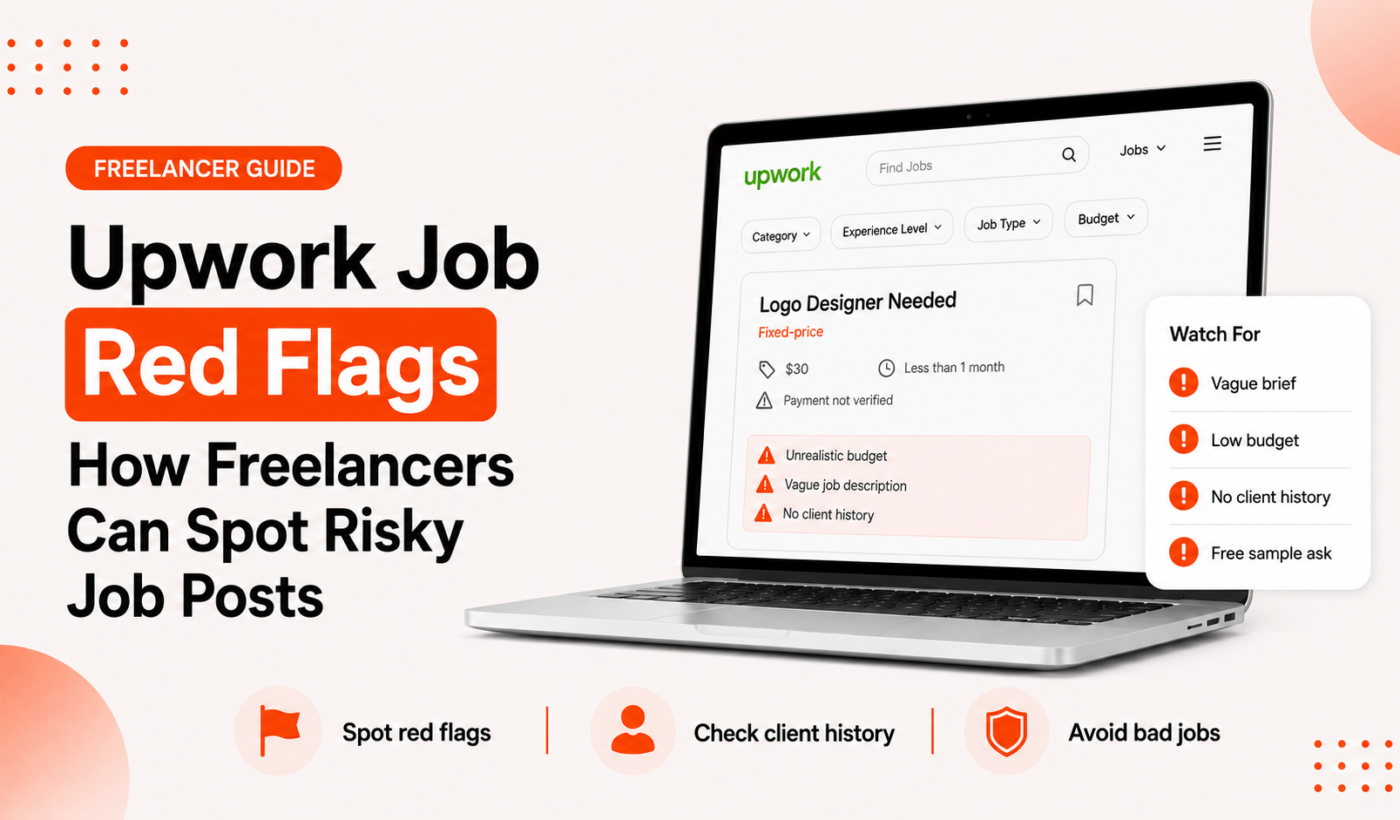
Spotting Upwork job red flags early saves you time, protects your reputation, and reduces the chance of unpaid work or account issues. This guide shows practical checks you can run in minutes, sample clarifying questions and proposal lines you can copy, and clear steps to report suspicious clients. When you find a legitimate but borderline job post, use the Generate a free personalized Upwork proposal tool to respond safely and professionally.
Why spotting Upwork job red flags matters
Risky job posts can cost you hours of unpaid work, expose your intellectual property, or put your Upwork profile at risk if a dispute escalates. Freelancers who screen posts carefully avoid common traps and keep negotiations on Upwork’s protections whenever possible.
How risky job posts cost time and reputation
- Unclear scope leads to scope creep and unpaid revisions.
- Off-platform payments remove Upwork protections and make disputes harder to resolve.
- Poor screening can create negative feedback or disputes that harm your profile.
What this guide will help you do
This article gives you a checklist to identify red flags, a quick verification workflow, copy-paste proposal language to protect yourself, and steps to report suspicious activity to Upwork.
Top Upwork job red flags to watch for
Below are common warning signs you’ll see in job posts and client behavior, with short examples and what they often mean.
Vague or one-line job descriptions (what to look for)
Example: “Need website help ASAP” with no deliverables, files, or examples. Vague posts often hide unclear expectations or a client who hasn’t defined the work—ask for specifics before bidding.
Unrealistic budgets, timelines or “too good to be true” pay
A post offering a very high hourly rate for a simple task or an impossibly fast deadline can be a lure to get quick work before disappearing. Verify the client’s history and ask why the budget is set that way.
Client asks you to work or get paid off-platform
If the client says “We’ll pay via PayPal/Bank after the first delivery” or “Can we move this off Upwork?” refuse. Upwork’s protections don’t apply off-platform and this is a major red flag for scams.
Requests for free work, long unpaid tests, or excessive unpaid revisions
Short skill tests are normal; multi-hour unpaid implementations are not. If the “test” would take a significant portion of the paid project, ask for a small paid milestone instead.
No client history but unusually large budgets or urgent deadlines
New clients with big budgets and artificial urgency can be testing freelancers. Verify details like company website, LinkedIn, and whether their Upwork account is verified.
Poor or evasive communication (late replies, avoids specifics)
Clients who dodge direct questions about scope, deliverables, or payment terms are risky. Good clients will answer basic scope and timeline questions promptly.
Ownership or rights not clearly stated (IP and deliverables)
Watch for vague ownership language—if the job post doesn’t specify who gets final files or licenses, clarify in writing before starting work.
Inconsistent profile information or mismatched company details
Check that the client’s name, company description and email domain line up with real company details. Inconsistencies can indicate a fake account.
Excessive interview/test tasks that mimic real work
Red flag: the “interview” asks you to complete a full deliverable. Ask for a paid trial or propose a short, paid milestone instead of doing full work for free.
How to verify a client and job post quickly
Run this checklist before you send a proposal or accept an interview. It takes 3–10 minutes and can prevent big problems.
- Check client history: Look for hires, feedback, and repeat hires on Upwork. No history is not always bad, but aggressive red flags on a new account are suspicious.
- Confirm payment verification and recent Upwork activity: A verified payment method and recent activity reduce risk.
- Look up the client or company: Search LinkedIn and the company website to confirm names, roles, and contact info. The Summarize text for free tool can help you digest long company pages quickly.
- Compare budgets and posting patterns: Search similar jobs and see if the budget matches market rates. Too-high or too-low budgets both signal caution.
- Spot copy-paste scams: Job descriptions that mention unrelated services or have poor grammar and repeated lines are often copied from other posts.
Practical red-flag checklist you can use right now
Save or screenshot this 10-point quick checklist and run it on every job post.
- Is the scope clear and measurable? (Yes / No)
- Is the client asking to move payment off Upwork? (Yes = bad)
- Does the client have at least one hire or review? (Yes / No)
- Is the budget realistic for the deliverables? (Yes / No)
- Are unpaid multi-hour tests requested? (Yes = bad)
- Is client communication evasive or late? (Yes = bad)
- Is ownership/rights defined? (Yes / No)
- Do company details match LinkedIn or website? (Yes / No)
- Does the post look copy-pasted or generic? (Yes = bad)
- Is the client asking you to start immediately without a contract? (Yes = bad)
How to score a job post
Give one point for each Yes on the safe items and one point for each No on risky items. Tally up: 8–10 = Safe, 5–7 = Questionable (verify more), 0–4 = Avoid.
How to respond safely: sample questions and proposal lines
Use clear, professional language that asks for specifics and protects your time and payment. If a post is borderline, respond with clarifying questions before committing.
Three clarifying questions to include in your first message
- “Can you confirm the exact deliverables and preferred file formats?”
- “What is the deadline for the first milestone and how will success be measured?”
- “Will this be covered by an Upwork contract with milestones, or do you prefer a different arrangement?”
Proposal lines that protect you (milestone, deliverable, payment)
Copy these short lines into your proposal or first message to set expectations:
- “I recommend a paid milestone for the first deliverable: X due in Y days for $Z. This protects both sides and lets us test fit quickly.”
- “I’ll deliver [specific file] and two rounds of minor revisions. Additional revisions will be billed at [rate].”
- “I work via Upwork contracts to ensure secure payment and dispute resolution. I can start after the first milestone is funded.”
Use the Upwork Proposal Generator to create personalized, scope-focused replies and insert verification questions professionally.
When to suggest an Upwork contract and how to phrase it
Always suggest an Upwork contract for hourly or fixed-price work. Phrase it simply: “For transparency and payment protection, can we use an Upwork contract with a first milestone of $X?”
When to walk away and how to report suspicious activity
Red-flag thresholds: when to decline or pause negotiations
- Client insists on off-platform payment.
- Client asks for significant unpaid work or full deliverables as a test.
- Profile information is fabricated or contact details don’t match a legitimate company.
How to document the conversation and job post
Save screenshots of the job post, message threads, timestamps, and any attachments. Keep copies of files you send and record the dates you proposed milestones or delivered work.
Reporting a job or client to Upwork (what to include)
When reporting, include the job post link, screenshots of messages, dates, and a concise description of the issue. Upwork’s Trust & Safety team reviews reports and can take action if the account violates policies.
Protecting your Upwork account and personal information
Never share personal ID documents, banking details, or passwords in messages. Keep all negotiations and files on Upwork until a contract is in place.
Tools and habits to reduce risk (including Typing Engine tools)
Small workflows reduce mistakes and speed verification.
- Use the Upwork Proposal Generator to create clear, scope-focused replies that reduce misunderstanding: Generate a free personalized Upwork proposal.
- Humanize and tighten messages with the AI Text Humanizer so your tone stays professional and clear.
- Reword verification messages using the Paraphrase text for free tool to keep follow-ups concise without changing the meaning.
- Proofread fast with the Check grammar for free tool to avoid errors that cause scope confusion.
- Summarize long posts with the Summarize text for free tool to spot inconsistencies quicker.
- Save templates for verification questions and contract language so you don’t repeat mistakes under pressure.
Build these checks into your proposal workflow and keep a short list of trusted templates to paste when you spot potential risky freelance clients or Upwork scams.
Quick reference: printable red-flag summary
One-page red-flag checklist: Scope clear? Client verified? On-platform payment? Paid milestone for tests? Ownership defined? If any answer is no, verify or decline.
Suggested immediate actions: reply with clarifying questions, request a small paid milestone, verify company details, or decline and report if the client insists on off-platform payment.
Further reading and next steps
For additional screening and job-finding tips, read our guide on How to Find Good Upwork Jobs: A Practical Checklist for Freelancers. Use the checklist in Questions to Ask in an Upwork Proposal: A Checklist for Freelancers when drafting your first message, and avoid the common errors listed in 15 Upwork Proposal Mistakes Freelancers Should Avoid.
FAQ
What are the most common Upwork job red flags I should watch for?
Vague scope, off-platform payment requests, unpaid long tests, inconsistent client details, and evasive communication are the top red flags.
Is it ever safe to take a client off Upwork or accept payment outside the platform?
Using off-platform payments removes Upwork’s protections. It’s safer to keep negotiations and contracts on Upwork; consider off-platform only for long-term existing relationships after consulting Upwork’s policies.
How do I report a suspicious job post or client to Upwork?
Collect screenshots, the job post link, and message history, then use Upwork’s reporting features to submit evidence and a short description of the issue.
What questions should I always ask before starting work on Upwork?
Ask for exact deliverables, deadlines, success criteria, payment terms, and whether they’ll use an Upwork contract with milestones.
Can I recover lost funds if a client refuses to pay after off-platform work?
Recovery is difficult if work happened off-platform. That’s why keeping work and payment on Upwork is the strongest protection. If off-platform payment was used, seek professional guidance on options.
Want a safe, professional reply ready to send? Try Typing Engine’s free Upwork Proposal Generator to build a clear, scope-focused proposal that protects your time and payment.
Also explore Typing Engine’s blog for more freelancer guides: Typing Engine blog hub for freelancer guides.