
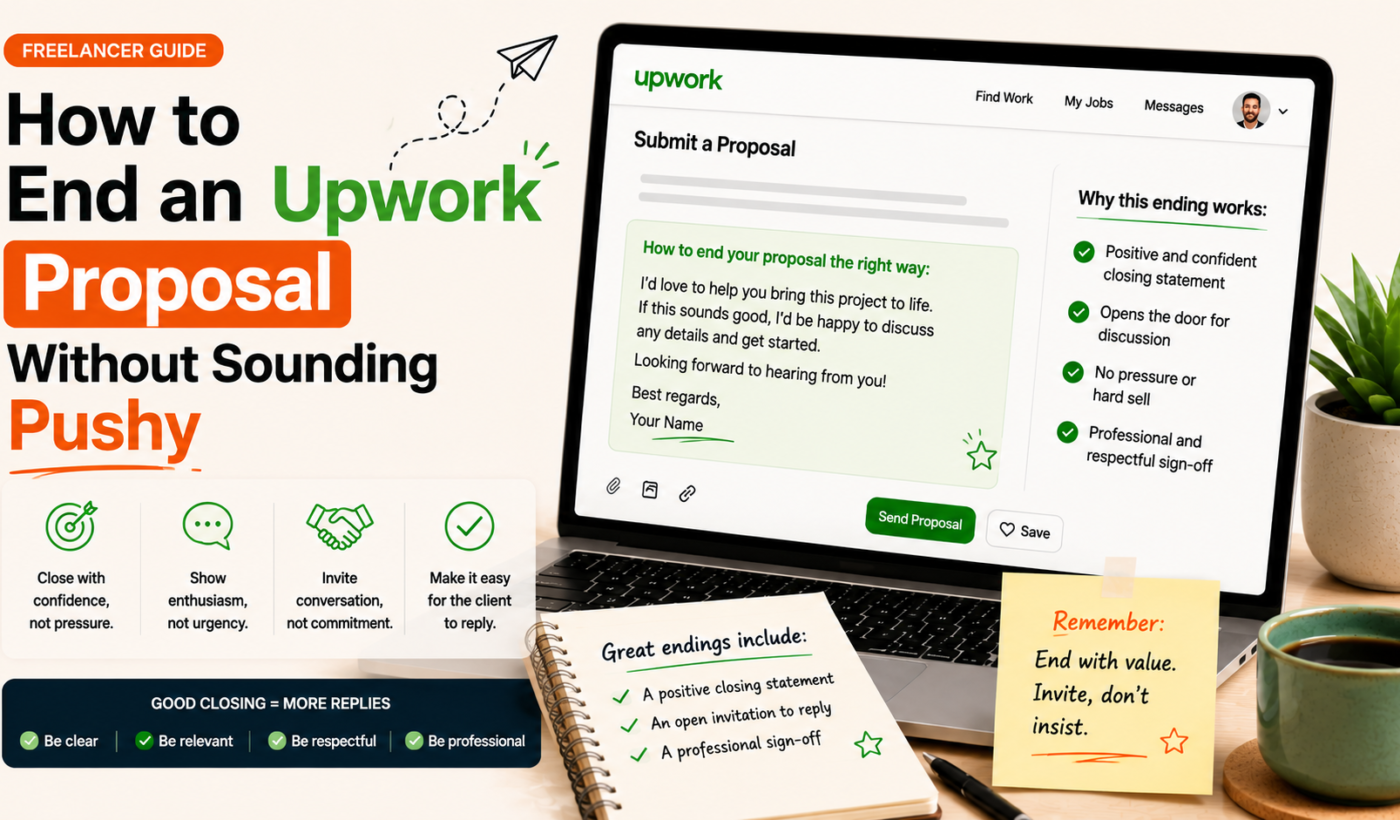
Knowing how to end an Upwork proposal is one of the smallest—yet most powerful—parts of winning work. The final lines shape the client’s next action. Close too weakly and you get ignored; close too aggressively and you turn good leads away.
Below are principles, ready-to-use templates, role-specific closings, follow-up timing, and quick editing checks so you can send confident, non-pushy proposals today. After you read the examples, try to generate a free personalized Upwork proposal and test a few closings.
how to end an Upwork proposal
Why the final lines of your Upwork proposal matter
How a close shapes client decisions
The closing line guides the client’s next move: reply with a question, click a link, schedule a call, or do nothing. A clear, low-friction next step increases replies. A pushy demand or a long list of requirements creates friction and reduces the chance of a response.
Common closing mistakes that feel pushy
- Asking for the job outright: “Hire me now” or “I expect a reply by X”.
- Multiple competing CTAs: asking them to schedule, review a portfolio, and complete paperwork all at once.
- Urgency or pressure language: words like “urgent”, “last chance”, or “limited availability” used to force a decision.
- Too much self-focus: closing with only your needs (rates, availability) rather than next steps that help the client.
Pair a confident opening (see tips in Upwork proposal first two lines: what to write (with examples)) with a soft, action-oriented close for best results.
When a soft close is the better option
Use a soft close when the job posting is vague, the client seems busy, or the role is exploratory. A soft close invites dialogue rather than a hard commitment, and it’s the default for most short-term contracts and initial outreach.
Principles of a non-pushy proposal closing
- Be client-focused, not self-focused. Remind the client what you’ll solve for them, then suggest a low-effort next step.
- Keep it concise and confident. One to three lines is enough in most cases.
- Offer one clear next step. Don’t give a menu of options—pick one action that makes it easy for the client to respond.
- Match tone to the job and client signals. If the posting is formal, keep your close formal; if it’s casual, use a relaxed close.
For speed and personalization tips that support these principles, see How To Generate Winning Upwork Proposals in Minutes (not hours).
Soft closing structures and templates
Below are copy-ready templates organized by length. Swap details to fit the job.
One-line soft closes (quick replies)
- “I can start on this today — would you like me to send a short plan?”
- “If this sounds good, I can share a 30-minute timeline and cost estimate.”
- “Happy to answer one quick question to confirm scope.”
Two- to three-line practical closings
- “I’ve completed similar work for X and can deliver the first draft in 3 days. If you’d like, I can send a two-paragraph plan or jump on a 15-minute call to confirm requirements.”
- “I can build the prototype and test it for one week. Would you prefer a short paid trial or a written proposal with milestones?”
Longer closings with optional portfolio or sample links
Use this when the client explicitly asked for samples or you want to add a reference without overwhelming the close.
- “I can share a tailored sample and a three-step plan. If you’d like to see a quick sample, tell me which of these outcomes matters most: speed, design, or SEO, and I’ll send a one-paragraph sample focused on that.”
Want to quickly create variations of these CTAs? Use the Upwork Proposal Generator — try different CTAs to generate several options fast.
Upwork proposal CTA examples (by intent)
Invite a clarifying question
- “Quick question: do you already have content guidelines I should follow?”
- “Can you confirm the target audience so I can tailor the first sample?”
Suggest a short paid test or trial task
- “I can complete a 1-hour paid test task for $50 to show my approach—would you like that?”
- “If helpful, I’ll do a 1-feature prototype and we can decide next steps after your review.”
Propose a brief meeting or call
- “If you’re available, I can do a 15-minute call this week to clarify scope—what day works best?”
- “I’m happy to share availability for a short demo; a 20-minute screen share is usually enough.”
Offer two low-effort next steps for busy clients
- “I can either send a 200-word plan or schedule a 10-minute call—which do you prefer?”
- “If now’s busy, say which is easiest: a sample paragraph or a short call.”
Generate focused CTAs for each intent using the Upwork Proposal Generator sample CTAs to test which ones get the best replies.
Editable closing examples for common freelancer roles
Copy and tweak these role-specific closes to save time.
Writers and content creators
- “I can draft a 300-word sample on your topic—want to see a quick sample paragraph first?”
- “If you like the sample, I’ll deliver a content calendar for the first month.”
- For aligning profile tone, use the LinkedIn Bio & Headline Generator to match proposal tone.
Designers and creatives
- “I can create 2 initial concepts; which color direction do you prefer—modern or classic?”
- “I’ll send low-res mockups within 48 hours if that works for you.”
Developers and technical freelancers
- “I can deliver a minimal demo feature in 3 days—would you like a short spec before I start?”
- “I’m happy to commit to a one-week paid test to show the approach.”
Marketing, SEO and social media specialists
- “I’ll audit one page or one channel free and share 3 quick wins—which would be most useful?”
- “If you approve the audit, I can prepare a 30-day plan next.”
For full-proposal examples that show closings in context, see How to Write an Upwork Proposal That Wins Jobs (With Examples).
Checklist: Quick editing steps before you hit send
- Tone and word-choice check: Remove pressure words (urgent, last chance).
- Confirm a single clear next step: Aim for one CTA that’s easy to accept.
- Remove urgent-or-pressure phrases: Replace hard deadlines with availability windows if needed.
- Include one-sentence value reminder and signature: A 1-line reminder of outcome plus your name closes professionally.
For faster proposal editing and to avoid last-minute pushy language, review tips in How To Generate Winning Upwork Proposals in Minutes (not hours) and the broader proposal examples in How to Write an Upwork Proposal That Wins Jobs (With Examples).
When and how to follow up after a non-pushy close
Suggested follow-up schedule
- First follow-up: 4–6 days after sending the proposal.
- Second follow-up: 7–10 days later if still no response.
- Final polite check: 2–3 weeks after the first message, then move on if no reply.
Polite follow-up message examples
- “Just checking in—did my proposal arrive? I’m happy to adjust the scope if helpful.”
- “Following up on my last message—do you have any questions about the proposed plan?”
- “If you’re still deciding, I can send a short sample to help—would that help?”
Use the Upwork Proposal Generator for testing follow-ups to craft follow-ups tailored to each job and keep messages polite and brief.
What to do if you get no response
Respect the silence and move on after 2–3 polite attempts. Save the job for a later re-application if it reopens, and use what you learned to improve your next close.
How Typing Engine can help
- Generate personalized closing lines with the Upwork Proposal Generator: Quickly produce CTAs that match the job and client tone using the Upwork Proposal Generator.
- Use the LinkedIn headline tool to match your profile tone: Keep your profile consistent after you change how you close proposals with the Improve your LinkedIn headline and bio tool.
- Quickly iterate and A/B test closing lines: Create several variants in minutes and track which CTAs get replies.
Wrap-up and next steps
Recap: be client-focused, keep closings concise, offer one clear next step, and match tone to the job. Pick one template above, personalize it, and measure whether replies improve.
If you want to test multiple non-pushy closings quickly, Try Typing Engine’s free Upwork Proposal Generator to generate tailored lines and CTAs.
FAQ
-
How do I end an Upwork proposal without asking directly for the job?
Focus on a low-effort next step that helps the client, such as offering a short sample, asking a clarifying question, or suggesting a 10–15 minute call. Avoid phrases that demand hiring decisions.
-
What is a good short closing line for an Upwork proposal?
“If that works, I can send a 2-paragraph plan or do a 15-minute call—what do you prefer?”
-
Should every Upwork proposal include a call to action?
Yes—include one clear next step. The CTA can be as simple as an invitation to ask one clarifying question or to request a short sample.
-
How soon should I follow up after sending a proposal with a soft close?
Wait 4–6 days for the first follow-up, then 7–10 days for a second, and a final polite check after 2–3 weeks if needed.
-
Can I reuse the same closing line for different types of Upwork jobs?
You can reuse structures, but tweak wording to match the client and job. Small personalization increases reply rates.
Try Typing Engine’s free Upwork Proposal Generator to create personalized, non-pushy closing lines and test which CTAs get the best replies: Try Typing Engine’s free Upwork Proposal Generator.