
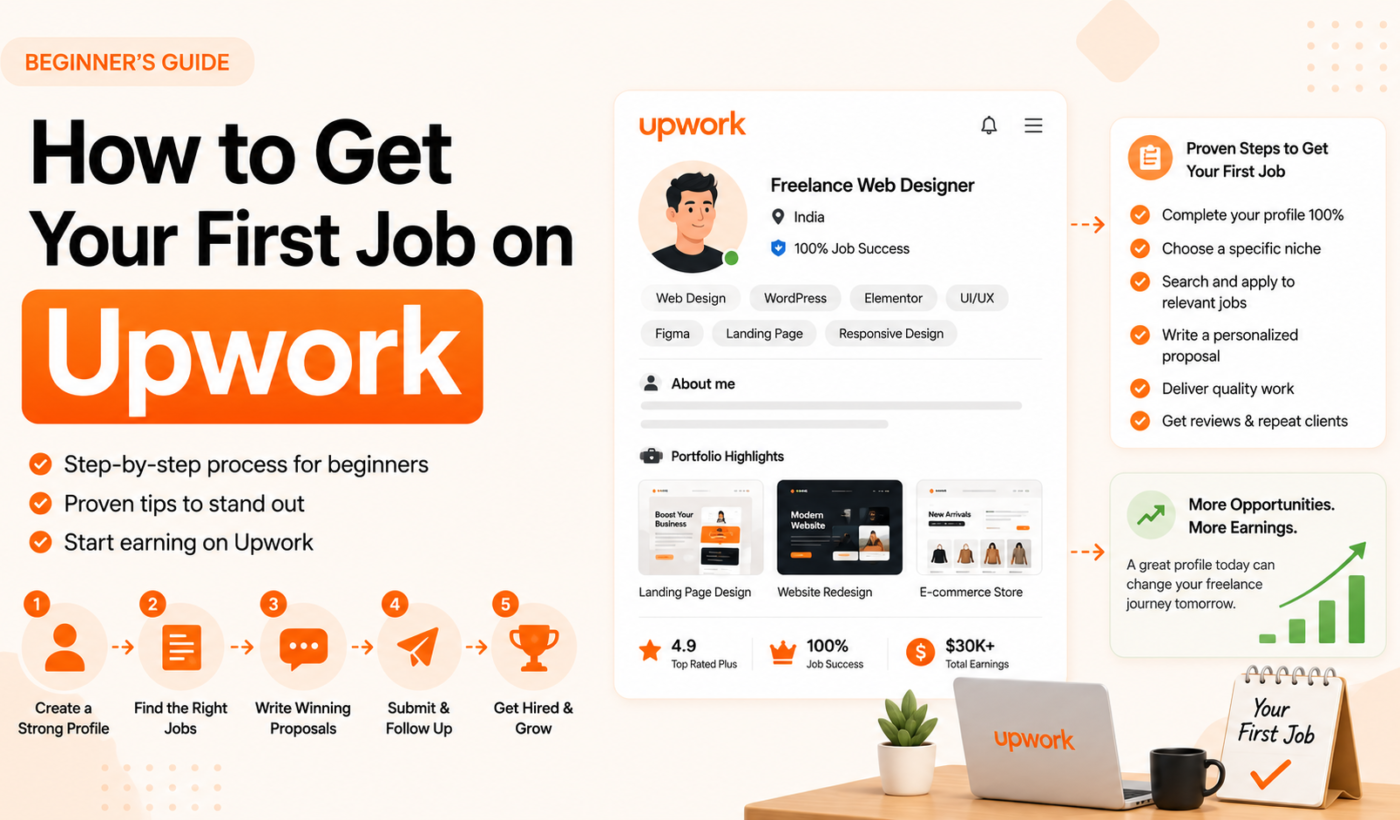
Getting your first job on Upwork is genuinely one of the hardest things you will do as a new freelancer. Not because the platform is poorly designed or the opportunities are scarce — quite the opposite. Upwork connects clients from hundreds of countries with millions of skilled professionals every single day. The problem is exactly that scale.
There are over 18 million registered freelancers on Upwork. As a brand new user with zero reviews, no Job Success Score, and a fresh profile, you are competing for the same contracts as people who have been building their reputation on the platform for years. The odds look steep from where you are standing.
But here is what those numbers do not tell you: the gap between a beginner who gets hired within their first two weeks and one who gives up after two months of silence is almost never skill. It is strategy. The right moves, made in the right order, change everything.
This guide walks you through exactly how to get your first job on Upwork from scratch — account setup, profile building, finding the right jobs, writing proposals that get replies, and delivering work that turns one contract into a long-term career. Every step is built for 2025.
Understanding Upwork Before You Apply to Anything
Before sending a single proposal, spend a few days genuinely understanding how the platform works. Beginners who skip this step burn through their Connects on the wrong jobs and wonder why nothing is happening.
How Upwork Works
Upwork is a two-sided marketplace. Clients post jobs. Freelancers browse those jobs and submit proposals, or clients find freelancers through search and send direct invitations. Work is completed, payments are processed through Upwork’s escrow system, and both sides leave reviews.
Key terms every beginner needs to know:
Connects are Upwork’s virtual currency for submitting proposals. New freelancers receive 50 free Connects on signup. Most jobs require 12 to 24 Connects to apply. They cost $0.15 each when purchased, and unused Connects roll over for up to a year. Spend them on jobs you genuinely have a chance at — do not spray proposals at everything.
Job Success Score (JSS) is the percentage metric that summarizes your track record of completed contracts and client satisfaction. You will not have one when you start. That is normal. Building it quickly and protecting it consistently is one of the most important long-term goals you have on the platform.
Rising Talent is a badge Upwork awards to new freelancers who show promise. It gives you a visible credibility signal before you have built a JSS, a 30-Connects bonus, and better placement in certain search results. Earning it early is worth prioritizing.
Service fees in 2025 are variable, ranging from 0% to 15% depending on your lifetime billings with each client. The fee decreases as you bill more with the same client over time, which is a strong incentive to build long-term client relationships rather than constantly chasing new ones.
The Real Challenge for Beginners: The Review Problem
Here is the cold reality of starting on Upwork: clients use reviews as their primary trust signal. When they look at two equally skilled freelancers and one has 30 reviews and a 98% JSS while the other has zero, the choice feels obvious. You have to break out of that cycle.
The strategies in this guide are specifically designed to address this. Getting your first five reviews is the hardest part of your entire Upwork career. After that, momentum builds in ways that make everything else easier.
Step 1: Choose Your Niche Before You Build Anything
The single most common mistake beginners make on Upwork is trying to be everything to everyone. “I can do writing, design, social media management, and virtual assistance.” That kind of profile tells clients very little and gets lost in every search.
LSI keyword: Upwork niche, freelancing for beginners
Upwork’s algorithm rewards specificity. A profile that clearly serves one type of client for one type of work ranks higher in search, attracts more relevant invitations, and converts at a dramatically better rate than a generalist profile.
How to choose a strong niche:
Start with what you already know. Your professional background, educational training, and existing skills are all legitimate starting points even without paid freelance experience. A former retail manager has real expertise in customer operations, team workflows, and consumer communication — all of which are marketable on Upwork.
Then check demand. Browse the Upwork job feed for your area of interest and filter by “posted recently.” Are there 10 new jobs in the last 24 hours? 50? That tells you whether the market is active. Combine what you are genuinely good at with what clients are actively paying for, and you have a niche.
Good niches tend to be specific enough to attract the right clients but broad enough to provide steady work. “Content Writer” is too broad. “B2B SaaS Content Writer” is a niche. “React Developer” is serviceable. “React Developer for E-commerce Platforms” is a niche. The more specific you are, the more you look like exactly what the right client is searching for.
Step 2: Build a Profile That Compensates for Zero Reviews
Your Upwork profile is doing an unusually heavy amount of work when you are a beginner. Without reviews or a JSS to reassure clients, your profile is the only evidence they have that you are worth a chance. Rushing through it is one of the most expensive mistakes you can make.
Focus keyword placement: “how to get your first job on Upwork” naturally connects to profile quality
Upwork’s own data is stark on this point: freelancers with fully complete profiles are 4.5 times more likely to get hired. That is not a small edge. That is the difference between noise and signal.
Profile Photo
A professional, well-lit headshot where you are looking directly at the camera. Natural expression, clean background, business-casual at most. Freelancers with professional photos are hired five times more often than those without. This is not optional.
Profile Title
Your title is a ranking factor in Upwork’s search algorithm. It should contain your focus keyword — the exact phrase your ideal client would type to find someone like you.
Examples that work:
- Content Writer | SEO Articles | B2B & SaaS Writing
- React Developer | Frontend Web Apps | JavaScript & TypeScript
- Social Media Manager | Instagram Growth | Content Strategy
- Virtual Assistant | Email & Calendar Management | Executive Support
Examples that do not work:
- Passionate Freelancer Ready to Help
- Creative Digital Wizard
- Experienced Professional in Multiple Fields
The pipe character (|) is useful because it lets you include multiple searchable terms without the title looking cluttered. Aim for your primary service, a specific specialty, and a tool or platform name where relevant.
Profile Overview
The first 250 characters of your overview appear in client search results before they click through. That fragment needs to communicate value immediately — not introduce you.
Secondary keyword placement: weave in “Upwork beginner,” “first client,” and related terms naturally in the overview advice
Open with the client’s problem or desired outcome, not your biography.
Instead of: “Hi, I’m a freelance writer with 3 years of experience in various industries looking for exciting new opportunities.”
Try: “You need blog content that ranks on Google and converts readers into leads. I write long-form SEO articles for B2B software companies that do exactly that — even without a massive domain authority.”
Use the remaining 5,000 characters to support that opening. Include specific results where you have them, the tools and platforms you work with, the types of projects you have tackled, and a clear call to action at the end. Weave in relevant keywords naturally — Upwork’s search algorithm reads your overview.
Portfolio
You do not need paid client work to have a portfolio. Upwork allows projects from outside the platform, personal projects, academic work, and mock-ups you created specifically to demonstrate your skills.
LSI keyword: Upwork portfolio
Freelancers with portfolios are hired nine times more often than those without. If you have nothing to show yet, create something. A graphic designer can design a brand identity for a fictional company. A copywriter can write a landing page for a product they find interesting. A developer can build a small personal project. These are not fake — they are demonstrations of real capability.
Each portfolio piece needs a thumbnail image, a brief description of the brief or challenge, the solution you delivered, and any measurable outcome if one exists.
Complete Every Single Section
Employment history, education, certifications, languages — fill them all out. Every incomplete section hurts your chances of earning the Rising Talent badge and reduces your visibility in search. It also signals to clients that you did not take the time to present yourself fully.
Step 3: Understand the Rising Talent Badge and Go After It
The Rising Talent badge is Upwork’s way of telling clients that you are a promising new freelancer worth considering. It appears on your profile, on every proposal you submit, and in search results.
LSI keyword: Upwork Rising Talent
To qualify for Rising Talent, you need a complete profile, consistent activity on the platform, and strong early performance signals. You do not need a JSS yet — it is designed specifically for freelancers who are building their first few reviews.
The practical benefits are meaningful. The badge provides visible social proof in a situation where you have no reviews. You receive 30 free Connects when you earn it. And your profile gets better placement in some search results and client browsing views.
How to pursue it: build a complete profile from day one, stay active on the platform daily, apply for jobs consistently, respond to messages quickly, and deliver your first contracts well. Rising Talent is a reward for doing the basics right, not a complicated additional goal.
Step 4: Find the Right Jobs to Apply For
Most beginners apply to the wrong jobs. They see a relevant title and send a proposal without checking whether the job is actually a good fit for someone with no platform reviews. That is how you burn Connects without results.
Secondary keyword placement: how to find jobs on Upwork as a beginner
Use Search Filters Strategically
Upwork’s search filters are genuinely powerful for beginners. When you search for jobs, use these filters in combination:
Number of proposals: Less than 5. Jobs with fewer proposals are significantly easier to get noticed in. The difference between being the 3rd proposal and the 45th is enormous for a beginner.
Client history: No hires or few hires. New clients who have not yet established preferences are more open to taking a chance on an unproven freelancer. They do not have years of hiring patterns that would naturally push them toward experienced veterans.
Payment verified. Only apply to jobs from clients who have verified a payment method. Unverified clients are a risk, and protecting your time early matters.
Posted recently. Fresh jobs have fewer proposals and clients who are actively watching their feed.
Budget range. As a beginner, targeting small to medium fixed projects ($50 to $500) is smarter than going after large, complex contracts. Lower stakes make it easier for clients to take a chance on you. These projects also turn around quickly, which means faster reviews.
Look for These Green Flags in Job Posts
A detailed job description is a strong signal that the client is serious and has a clear picture of what they need. Vague one-liners often lead to scope creep, miscommunication, and the kind of messy contracts that hurt your early JSS.
Positive feedback from the client on previous contracts tells you they know how to work with freelancers and are likely to leave a fair review if you deliver well.
A reasonable budget for the scope of work. Clients asking for weeks of work at $20 total are not the clients you want to build your reputation with.
The Hidden Code Word Trick
Many experienced Upwork clients embed a code word or specific instruction somewhere in their job description — “Reply with the word ‘sunshine’ in your opening line” or “Tell me your favorite color in your proposal.” They do this specifically to filter out freelancers who did not read the description.
Read every job description fully before applying. Mention the code word if there is one. This alone puts you ahead of a significant portion of applicants who skim and blast out generic proposals.
Step 5: Write Proposals That Get Read and Replied To
This is where most beginners lose the most ground. They write a template. They send the same message to every job. They wonder why no one responds.
Focus keyword usage: “get your first job on Upwork” connects directly to proposal quality
Clients receive dozens of proposals within hours of posting a job. By the time they are reading proposal number 20, their attention has fatigued significantly. Your proposal needs to earn a reply in the first three sentences or it is very likely getting passed over.
The Opening Line Is Everything
When a client views their list of applicants, they see your photo, your rate, and the first line of your proposal before clicking through. That opening line is making a decision before they have read anything else about you.
The worst possible opening: “Dear Hiring Manager, I am interested in your project and believe my skills make me a good fit.”
A much stronger opening: “Hi Sarah — I noticed you need landing page copy for a SaaS product targeting HR managers. I’ve written conversion-focused copy for three similar products and know exactly how to speak to that buyer persona.”
The Structure That Works
Line 1 to 2: Show you read the job and reference something specific. Use the client’s name if visible. Mention the exact project or a detail from the description. This alone separates you from 80% of proposals.
Line 3 to 4: Lead with the most relevant proof you have. This does not have to be paid Upwork work. A personal project, work from a previous job, a sample you created, or a relevant result from outside freelancing all count. Be concrete.
Line 5 to 6: Briefly explain your approach or process. Clients are not just buying a deliverable — they are buying a working relationship. A sentence or two about how you work, communicate, or approach problems builds confidence.
Close: End with a question or a specific invitation to continue the conversation. Not a vague “Looking forward to hearing from you.” Something like: “Could you share more about your target audience? I want to make sure my approach fits exactly what you are trying to achieve.”
The Beginner Advantage No One Talks About
As a beginner, you actually have one thing that seasoned freelancers often lack: time and willingness to invest in a new client relationship. Mention it where genuine.
“I am building my Upwork reputation and fully committed to making this project a standout success. I will treat your project with more attention than someone juggling ten ongoing contracts.”
That is not a weakness positioned as a strength — it is a real, true thing that many clients find genuinely reassuring.
A Sample Proposal for a Beginner (Adapt This)
Hi [Client Name],
I noticed you are looking for [specific type of work] for [specific project detail]. I have worked on [brief, relevant example — even from outside Upwork], and I understand exactly what it takes to deliver [the outcome they are looking for].
Here is how I would approach your project: [2 to 3 sentences about your process]. I am meticulous about [something relevant to their concern, like deadlines, accuracy, or communication].
I am new to Upwork but bring [X years / relevant experience] from [outside context]. I am fully committed to making this project a great experience — and a great result — for you.
Could you tell me more about [one specific question that shows you engaged with their brief]? I would love to understand your goals better before we start.
For ready-to-copy templates across specific niches, see Upwork Proposal Templates: 10 Copy and Paste Templates for Every Niche. For a deeper dive into proposal strategy, How to Write an Upwork Proposal That Wins Jobs covers the craft in full detail.
And if you want to generate a personalized proposal in seconds, Typing Engine’s free Upwork Proposal Generator is built exactly for this.
Step 6: Apply Fast and Apply Often (Strategically)
Timing has a measurable impact on proposal success on Upwork.
LSI keyword: Upwork job alerts, how to apply on Upwork
Jobs posted less than 15 to 20 minutes ago typically have far fewer proposals than those that have been up for hours. Being among the first five applicants gives your proposal a meaningfully better chance of being read carefully rather than skimmed or skipped.
Set up job alerts for your target keywords. Check them daily, ideally multiple times. Apply the same day a relevant post goes up. This discipline alone — without changing a single word of your proposals — can improve your response rate.
On volume: do not send five proposals and wait. The average time to land a first Upwork job ranges from one week to several weeks depending on niche, profile quality, and proposal consistency. Send 5 to 10 genuinely tailored proposals per week and track which ones get profile views but no replies (your opening is not landing), which get replies that do not convert (your rate or proof is the issue), and which convert (your template for that niche is working).
Step 7: Set Your Rate Strategically for the Beginning
The rate question is one of the most stressful things for beginners. Too high and it feels like you are asking clients to take a big risk on someone with no reviews. Too low and you undermine your perceived value and attract difficult clients.
Secondary keyword: Upwork rates for beginners
The practical approach: browse 15 to 20 profiles of freelancers in your niche at a similar stated experience level and note their rates. Set yours at the lower end of that range while you are building your first 5 reviews, then raise it incrementally as your JSS and review count grow.
Avoid going rock bottom. Rates that look desperate signal inexperience, and the worst clients on Upwork specifically look for the lowest-priced freelancers because they have been rejected by everyone else for reasons that will soon become yours to deal with.
Also important: small projects at fair rates beat large projects at low rates every time for a beginner. A $75 fixed project you can complete in a few hours and earn a 5-star review on is infinitely more valuable right now than a $500 project that takes three weeks and ends ambiguously.
Step 8: Nail Your First Contract and Turn It Into Reviews
Once you land that first job, everything you do from that moment forward is marketing. Your review is the direct outcome of the client’s experience working with you, not just the quality of what you delivered.
LSI keyword: Upwork first review, Upwork Job Success Score
Set expectations at the start. In your first message after accepting the contract, confirm the scope, ask any clarifying questions, and give the client a timeline. Clients who know what to expect give better reviews than clients who are surprised by delays or scope questions.
Communicate proactively throughout. Do not go silent and deliver at the end. A quick check-in message halfway through (“Just wanted to let you know I am on track and will have the first draft to you by Thursday”) builds confidence and makes the final delivery feel like a natural conclusion rather than a sudden event.
Deliver ahead of schedule if at all possible. Clients remember when freelancers beat their deadline. They almost never remember when someone was perfectly on time. Surprise them in the right direction.
Ask for feedback after delivery. Once the work is done and the client is happy, send a brief, warm message: “It was great working with you on this. If you are happy with the outcome, I would really appreciate a review — it helps me a lot as I am building my presence here. And please keep me in mind for future projects.”
Most satisfied clients will do it when asked. Many genuinely forget if no one prompts them.
The First Five Reviews Compound Faster Than You Think
Your first review unlocks a flywheel. One positive review makes the second client 20% more likely to hire you. Two reviews make the third 40% more likely. The early momentum builds quickly once it starts. Every positive contract outcome compounds, and every corner cut risks the JSS that makes future work possible.
Start small if you need to. A $30 logo revision that takes 20 minutes and earns a 5-star review is worth more to your trajectory right now than a $500 branding project that goes sideways.
Step 9: Stay Active and Keep Improving Your Profile
The Upwork algorithm favors active users. Logging in daily, checking messages promptly, updating your profile, and submitting proposals consistently all signal that you are a serious, engaged freelancer. Dormant accounts gradually lose visibility.
LSI keyword: Upwork algorithm, Upwork profile activity
After your first few contracts, review your profile with fresh eyes. Does the overview still reflect what you are offering? Are there new results or portfolio pieces worth adding? Are your skills tags still the most relevant ones for the work you want? Make small improvements continuously rather than leaving it static.
Track what is working. If proposals in a certain format get more replies, use that format more. If a particular niche of clients responds better, lean into that. If your profile is getting views but not conversions, the issue is in your overview or portfolio, not in how you are finding jobs.
How Long Does It Actually Take to Get Your First Upwork Job?
This is the question every beginner wants answered, and the honest answer is: it depends, but it is probably shorter than you fear if you are doing the right things.
Most beginners who apply the strategies above — a complete profile, a defined niche, targeted job selection, and genuinely tailored proposals — report landing their first contract within one to four weeks. Some get there faster. Some take longer, especially in saturated niches or if they are still refining their approach.
What never works is applying to dozens of jobs with copy-pasted proposals and hoping something sticks. That approach can take months and produce very little.
What consistently works is applying to fewer, better-matched jobs with proposals that show you read the description and understand what the client needs. Quality over volume, especially while your Connects supply is limited.
Common Beginner Mistakes (And How to Avoid Them)
Applying to jobs you are not ready for. Large, complex contracts with detailed requirements and high budgets are not the right starting point. Small projects with clear scope build your track record faster and with less risk.
Ignoring client profiles before applying. Always check a client’s review history, hire rate, and how they have treated previous freelancers. A client with a pattern of disputes and poor reviews is a trap, not an opportunity.
Setting rates too low to attract good clients. Clients who are only looking for the cheapest option tend to be the most demanding and least likely to leave good reviews. Price yourself to attract serious clients, not desperate ones.
Quitting too early. The first two to three weeks of applying on Upwork with no responses is completely normal. It is not a sign that you cannot succeed on the platform. It is a signal to refine your approach and keep going.
Leaving contracts open indefinitely. Close contracts when work is done. Open contracts with no activity can negatively affect your JSS over time.
Upwork Beginner Checklist
Before you apply to your first job, run through this:
- Niche is clearly defined and reflected throughout the profile
- Profile photo is professional, well-lit, and uses a clean background
- Profile title contains your primary keyword and is specific and searchable
- Overview opens with the client’s problem, not your biography
- Overview uses secondary and LSI keywords naturally throughout
- Portfolio has at least 3 to 6 pieces with thumbnail images and outcome-focused descriptions
- All profile sections are fully completed (employment, education, certifications, languages)
- Identity verified
- Availability Badge turned on
- Job search filters set to: recently posted, fewer than 5 to 10 proposals, payment verified, entry to intermediate level
- Each proposal is tailored specifically to that job description
- Rate is researched against comparable freelancers at your experience level
- Each proposal ends with a specific question that invites a reply
Related Resources from Typing Engine
Free AI Tools for Freelancers
- Upwork Proposal Generator — Generate personalized, client-focused proposals in seconds
- LinkedIn Post Generator — Create high-performing LinkedIn posts to attract inbound clients
- LinkedIn Bio & Headline Generator — Build a LinkedIn presence that reinforces your freelance brand
- Twitter / X Bio Generator — Write a crisp, compelling bio that signals your expertise
- Instagram Caption Generator — Generate captions that grow your freelance brand on Instagram
- Privacy Policy Generator — Protect your freelance website with a ready-made privacy policy